
A clearer path
to learning.
A connected learning experience, from account access to active revision and flexible subscriptions.
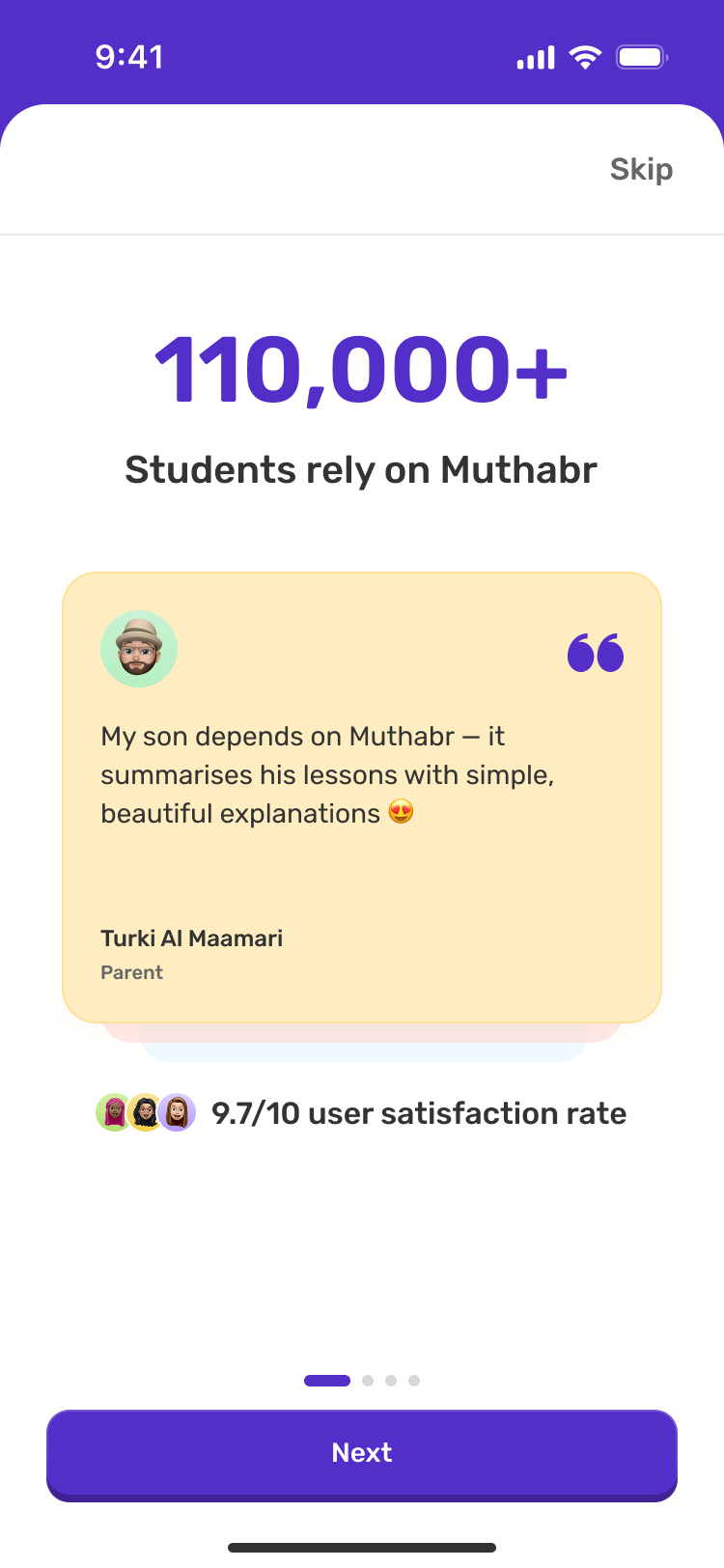
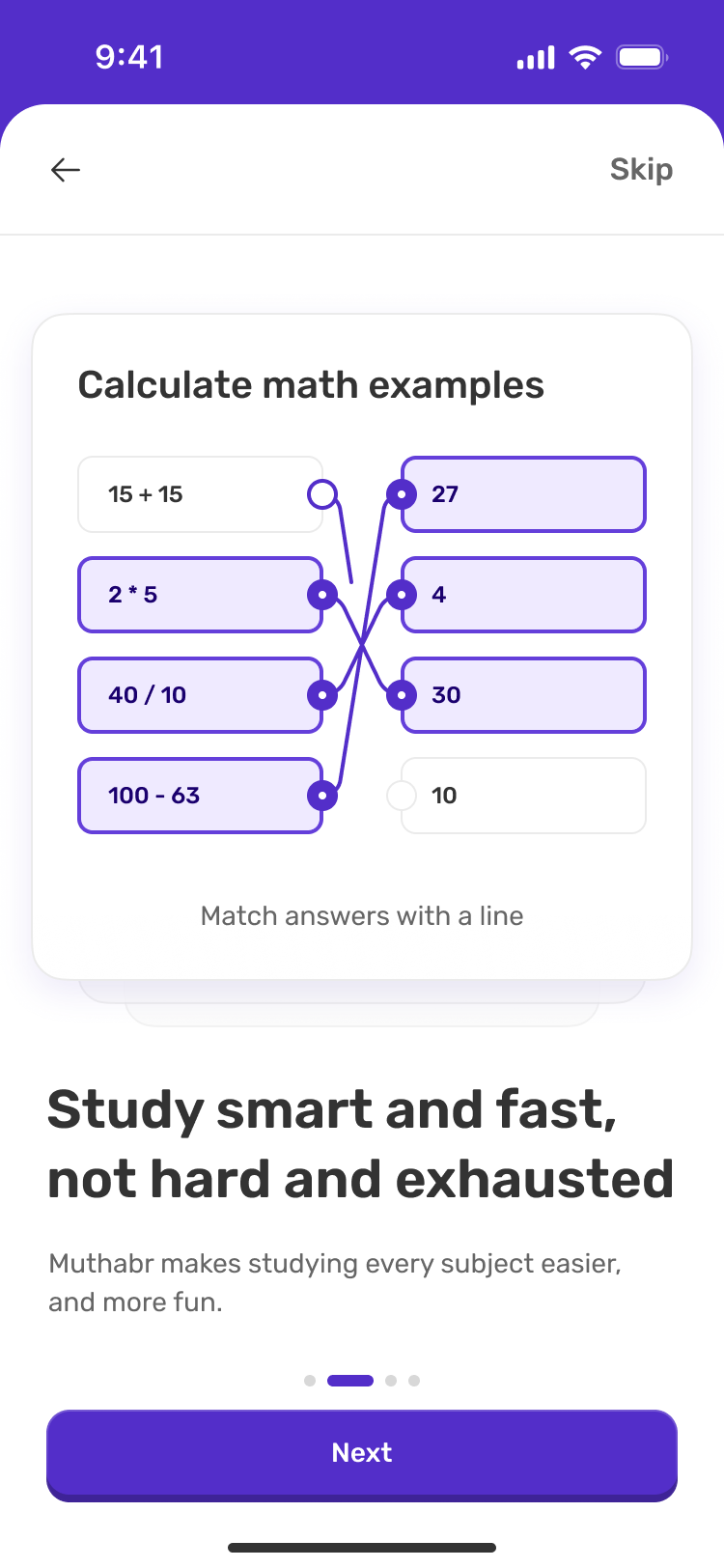
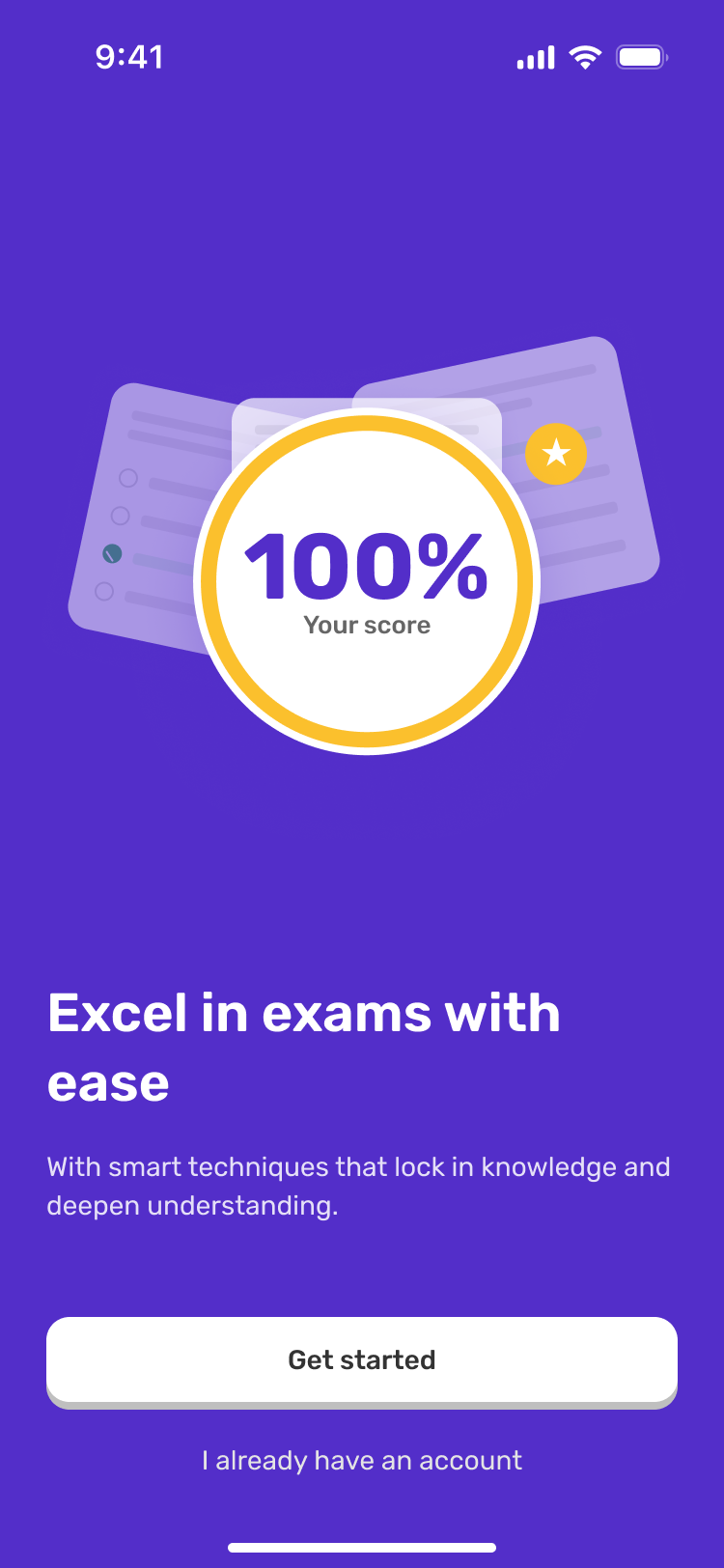
Making learning simpler.
Over 26 months, I designed mobile and responsive web interfaces, interaction patterns and Figma prototypes across Muthabr’s ecosystem. My scope connected account setup, learning activities, subscriptions, the marketing website and email.
- UnderstandTasks and context
- DefineNeeds and priorities
- ExploreFlows and alternatives
- DesignInterfaces and states
- RefineEvaluation priorities
Complex learning. Clear choices.
Muthabr supports students from Grade 5 to Grade 12, alongside teachers and account holders.
| Multi-user setup | Separate account ownership from learner details. |
|---|---|
| Content navigation | Connect subjects, units and activities. |
| Subscriptions | Make access and totals explicit. |
| Motivation | Show progress without obscuring study. |
Where students already learn.
A comparison of Quizlet, Khan Academy and Duolingo frames rapid content access, structured progression and repeat practice.
Competitive review
On smaller screens, scroll the comparison table horizontally.
| Platform | Useful learning pattern | Application to Muthabr |
|---|---|---|
| Quizlet | Discover learning content by subject. | Direct access to relevant review content. |
| Khan Academy | A clear course hierarchy. | Navigation from syllabus to unit and topic. |
| Duolingo | Visible progress and rewards. | Engaging feedback without distracting from study. |
What matters to students
A survey of 48 students aged 15 to 18, focusing on older secondary-school students.
Aged 15 to 18
Prefer individual subjects to full-grade bundles
38 of 48 students
Need a clear subscription total before payment
30 of 48 students
Frustrated by complicated onboarding
32 of 48 students
Value study organisation and progress
40 of 48 students
Understanding the reasons behind the numbers
Six student interviews, each lasting 25 to 35 minutes.
The six school students were aged 15 to 18.
- Walk me through how you last prepared for an exam.
- What makes you abandon an educational app sign-up?
- How do you decide what learning subscription is worth buying?
- What information would reassure you before paying?
- How do you know which lesson or practice activity to open next?
“I only need maths and physics, not every subject in my grade.”Student quote
“If I get stuck verifying my account, I usually try something else.”Student quote
Four recurring friction points.
Interview observations are grouped into four themes, linking the findings to design opportunities.
Affinity synthesis
Account access
Confusion between signing in and creating an account, difficulty with verification, and unclear recovery steps.Simplify early account steps.
Subscription choices
Forced bundles · Unclear final totals · Specific subject needsOffer subject choices with a clear payment summary.
Learning discovery
Grade · Semester · Subject · Unit · ActivityOrganise content hierarchically.
Motivation
Progress visibility · Answer feedback · Continued effortMake progress and feedback visible.
Two needs, one ecosystem.
Two perspectives connect focused study with confident account and purchase decisions.
Research personas
Sarah, 17
Exam-focused student · Primary persona
Goal Prepare for exams and improve in two difficult subjects.
Barrier Bundled costs and too many steps to the topic.
Top tasks Choose subjects, reach exercises and see progress.
“Help me get to what I need to practise.”Persona summary
Ahmed, 16
Independent student · Secondary persona
Goal Compare resources, plans and manage access.
Barrier Unclear registration, final totals and verification dead ends.
Top tasks Review the final total, recover access and manage account settings.
“Show me what I'm selecting before I pay.”Persona summary
Where the journey breaks down.
Students need predictable account creation, relevant content and access to only what they need, because navigation and purchase friction can delay study.
Journey synthesis: emotions across the student experience
Discover
Visit landing page
Product value not immediately obvious
Explore
Compare features
Unclear route to relevant content
Register
Create account
Sign-in and sign-up ambiguity
Verify
Enter the verification code
Unclear recovery when code fails
Subscribe
Compare plans
Packages do not match exact subject needs
Purchase
Review price
Uncertainty about discounts and the final total
Learn
Open resources
Delayed access but eventual value
Confusion during registration and frustration with subscriptions interrupt the journey.
Translating findings into product decisions.
Four insights lead to four design responses.
Clear account setup
Research insightConfusing entry points
Separate signing in from account creation, with helpful errors and verification recovery.
How might we make setup recoverable and understandable?
A clear route to learning
Research insightHard-to-find material
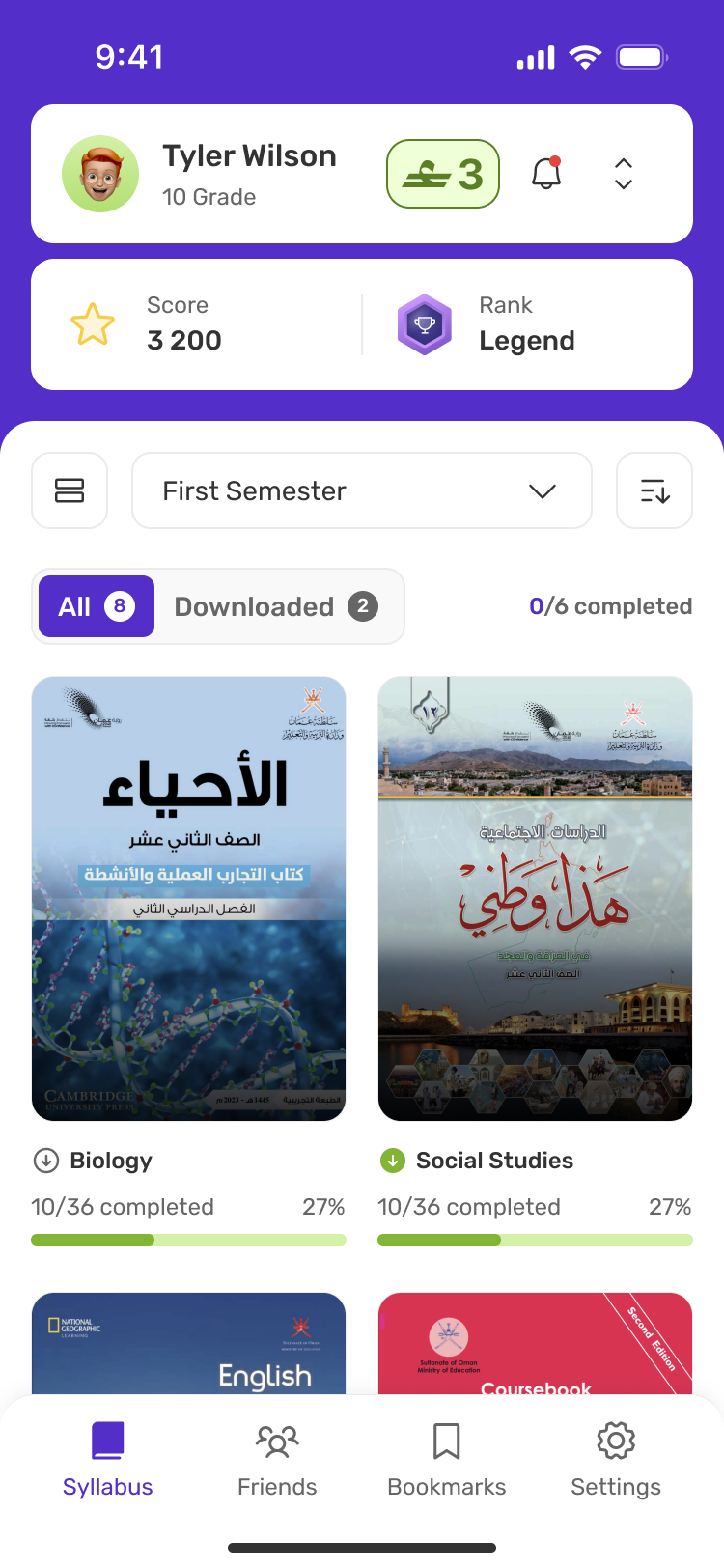
Connect syllabus, subject, unit, topic and activity, with clear views and progress.
How might we reveal the next relevant learning activity?
Clear subscription choices
Research insightRigid plans
Make the access included in each plan explicit. Explore subject-level selection and a clearer payment summary in the subscription iteration.
How might we make subject choices and the final cost clear?
Visible progress
Research insightLow progress visibility
Show flashcard feedback, exercise states, scores, streaks and badges.
How might we encourage progress without distraction?
Simplifying complex journeys.
These flows connect learning, account setup and purchasing. They are reconstructed from the interface designs.
Student workflow
- Syllabus
- Subject
- Unit
- Topic
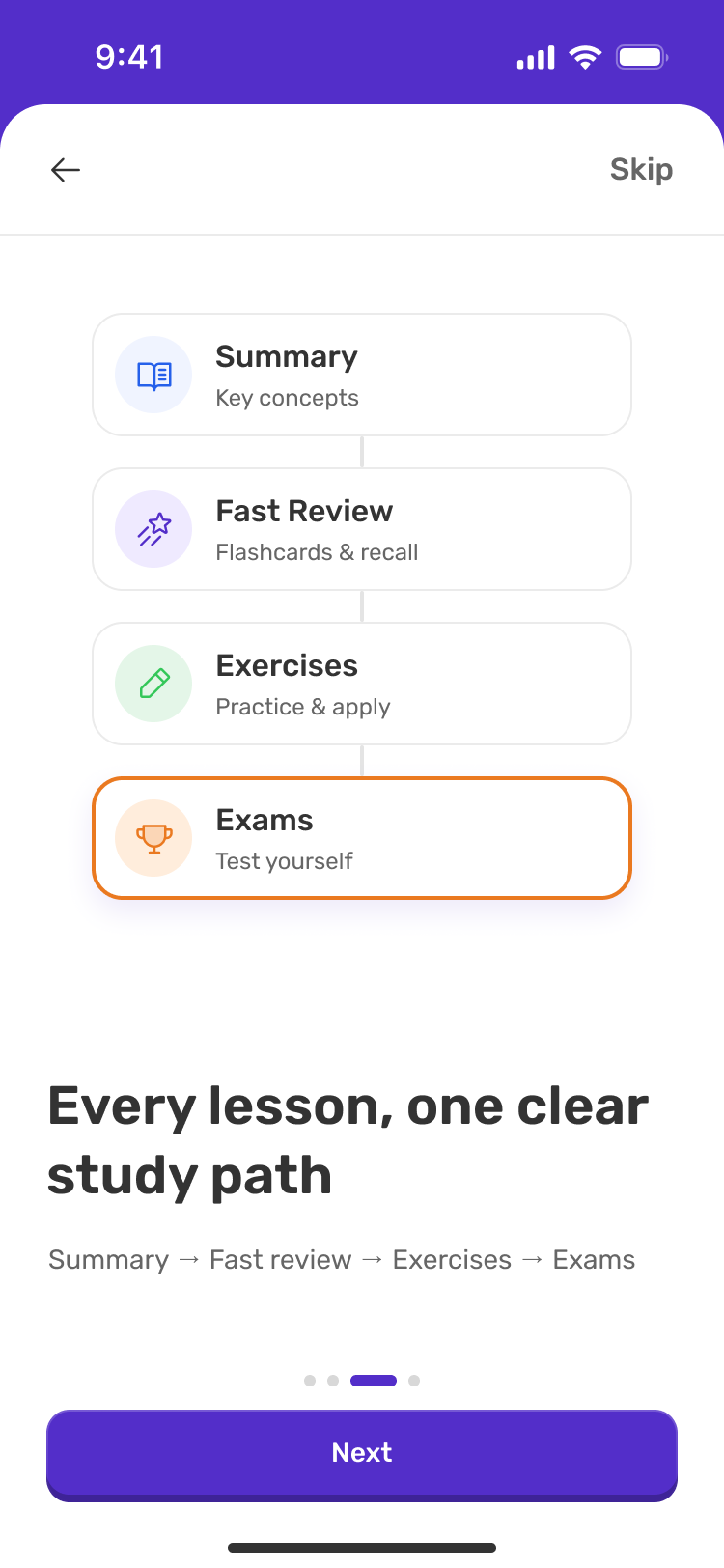
- Choose a study activitySummaryFlashcardsExercisesExams
- Progress
Account workflow
- Sign up
- Verification
- Add user
- Student or teacher details
- Passcode
- Access
Purchase workflow
- Academic period
- Choose a study plan
- Review price
- Payment
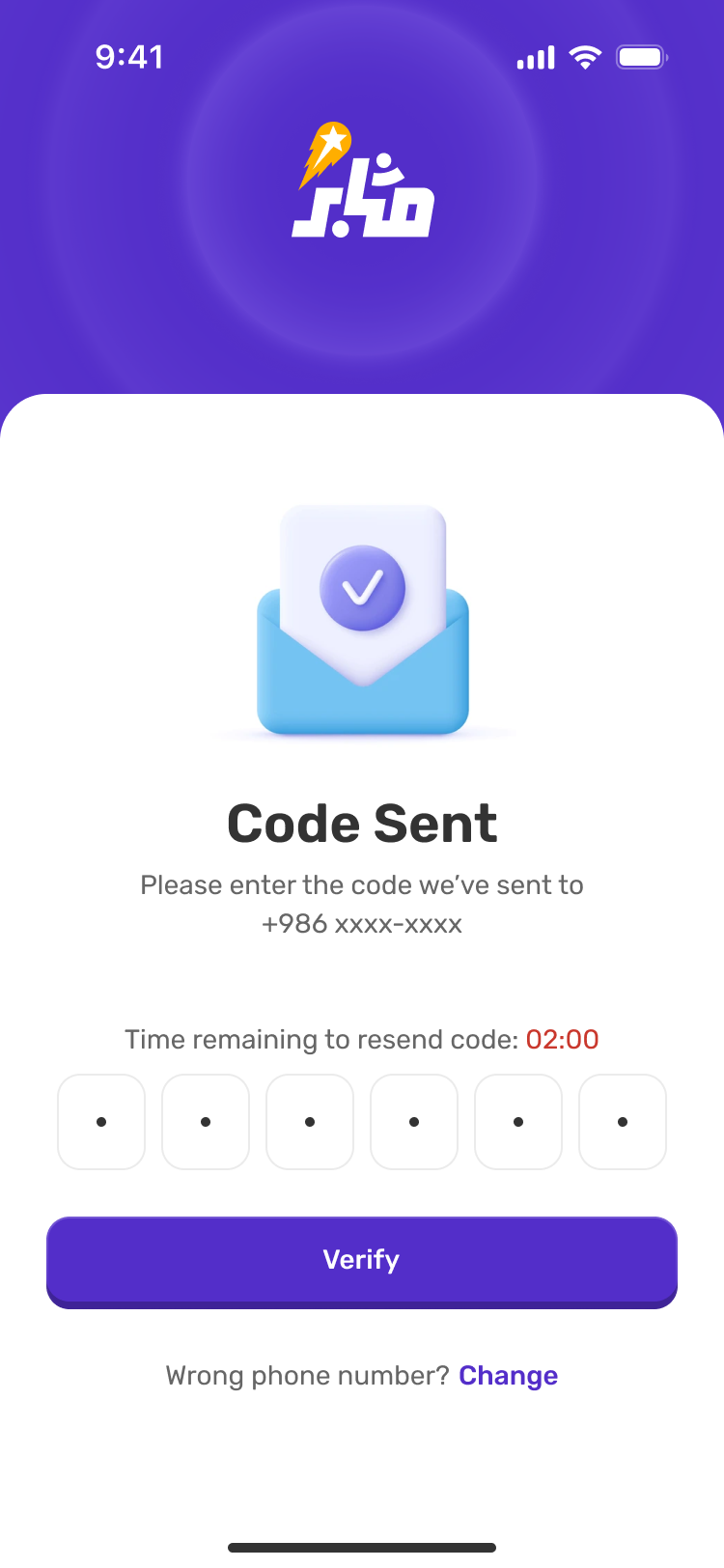
A clear route through verification.
I connected account creation, verification and profile setup, with a route back when a code fails.
A smoother start.
Challenge Account setup spans several roles.
Design decision I separated verification, user details and passcodes.
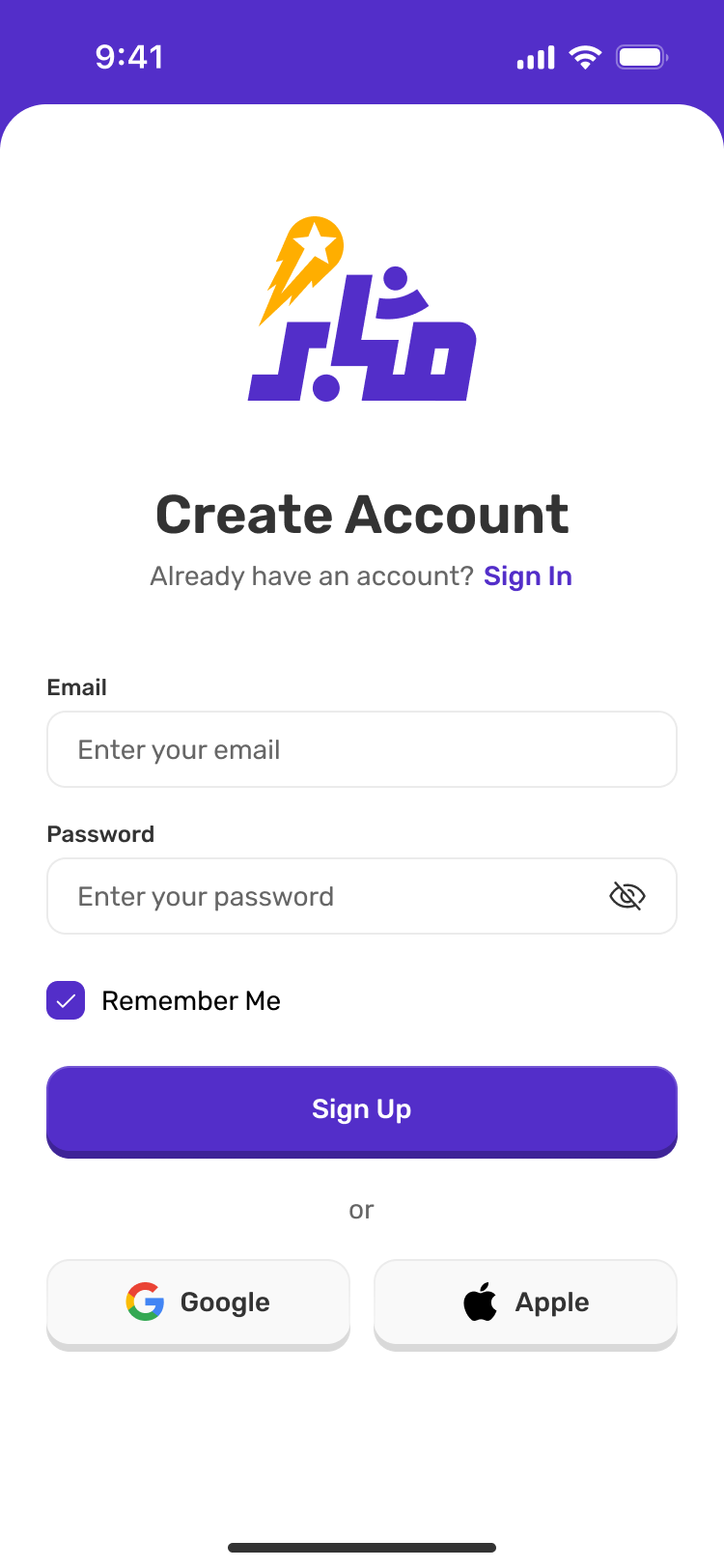
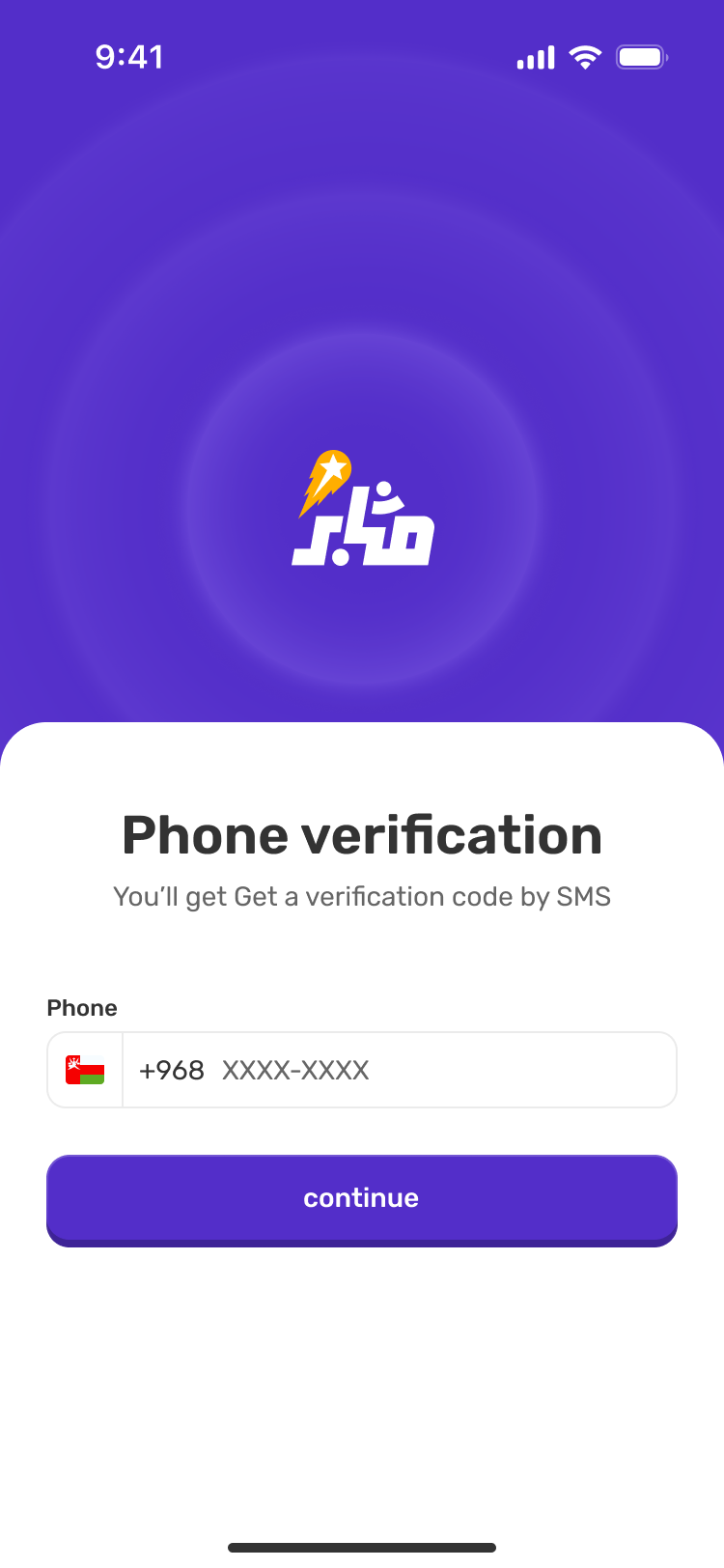
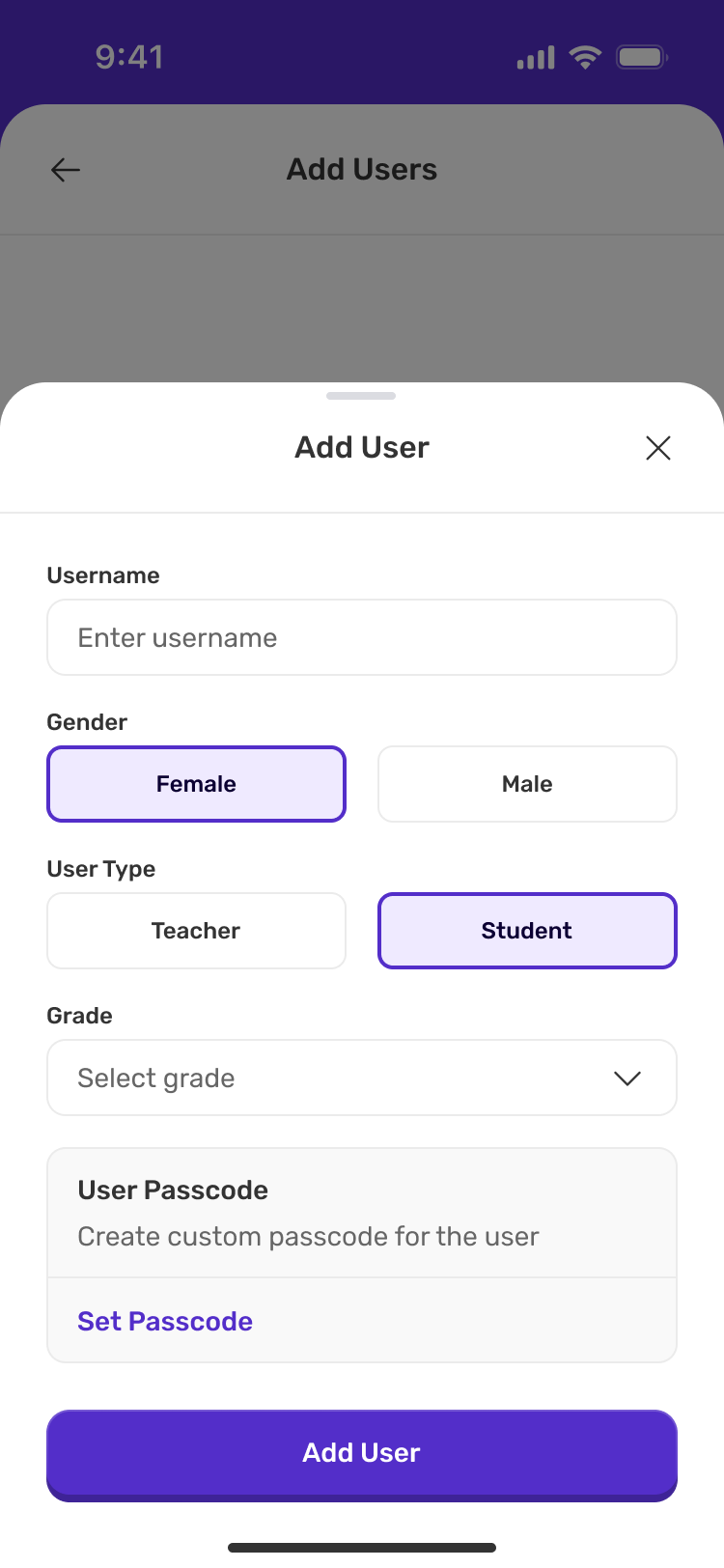
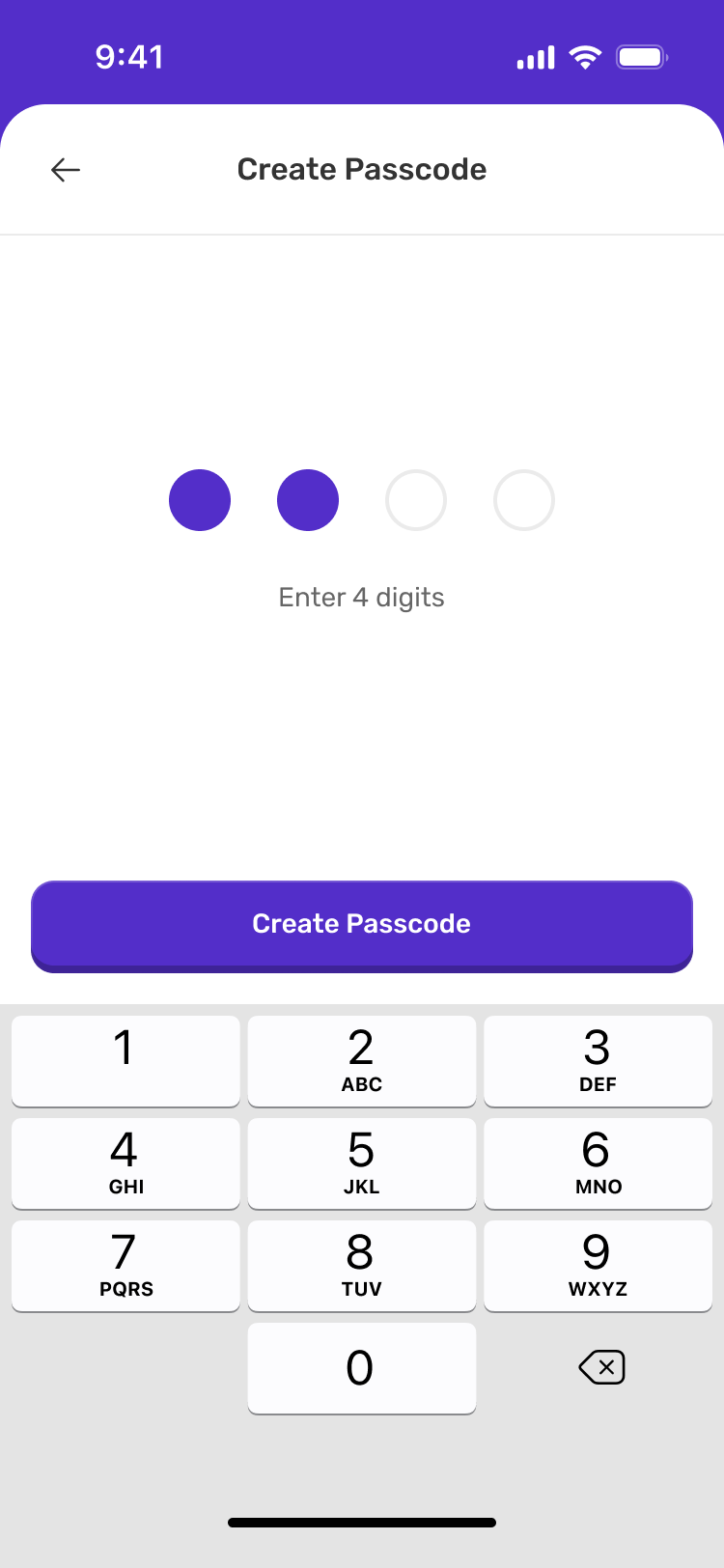
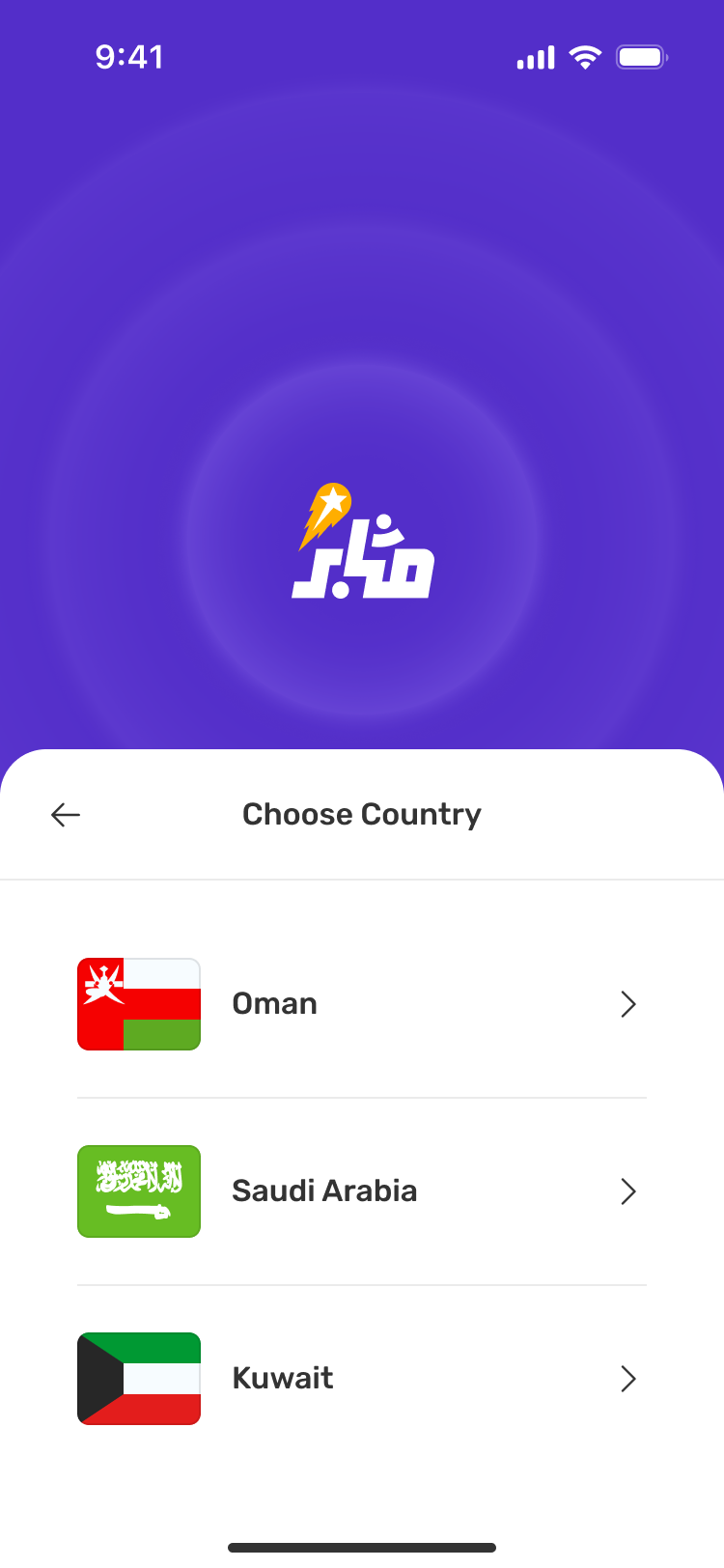
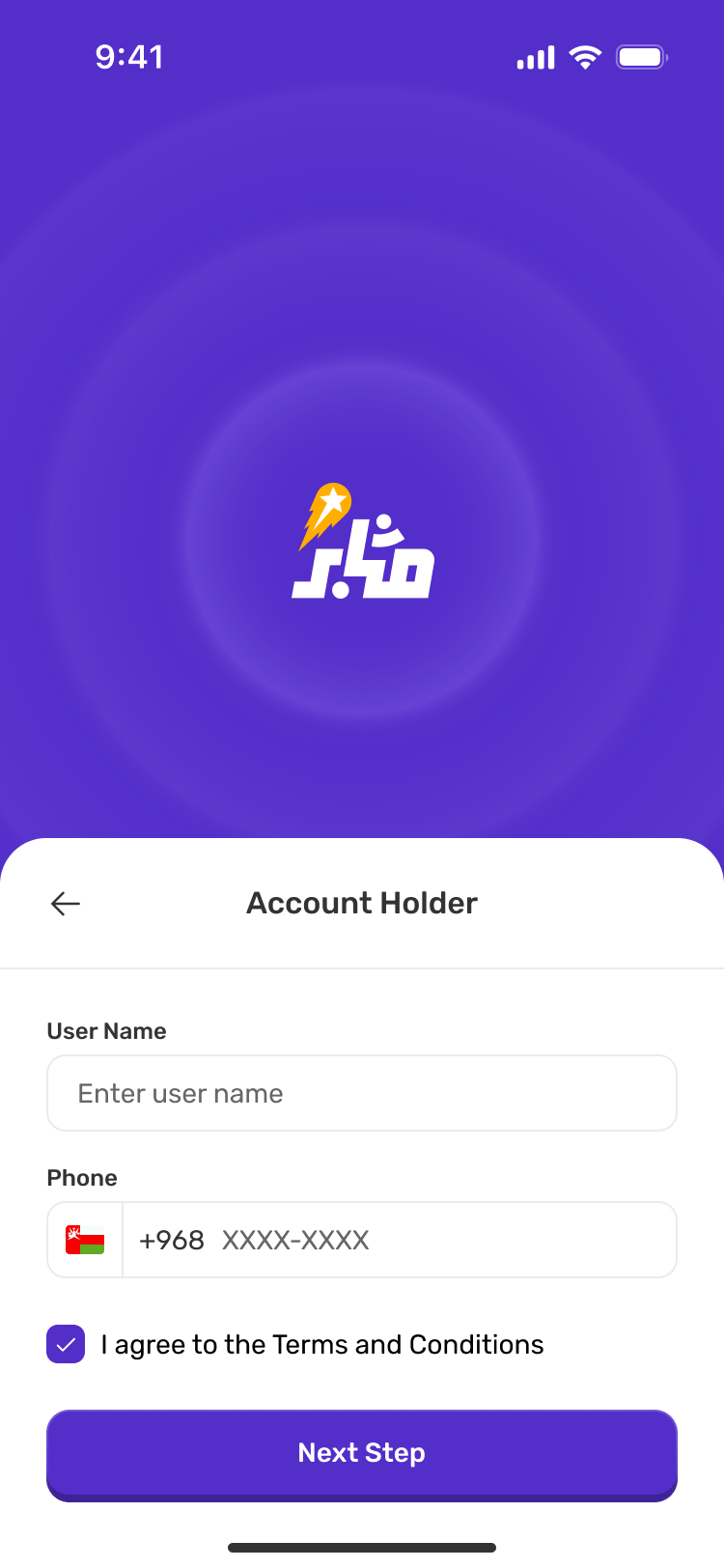
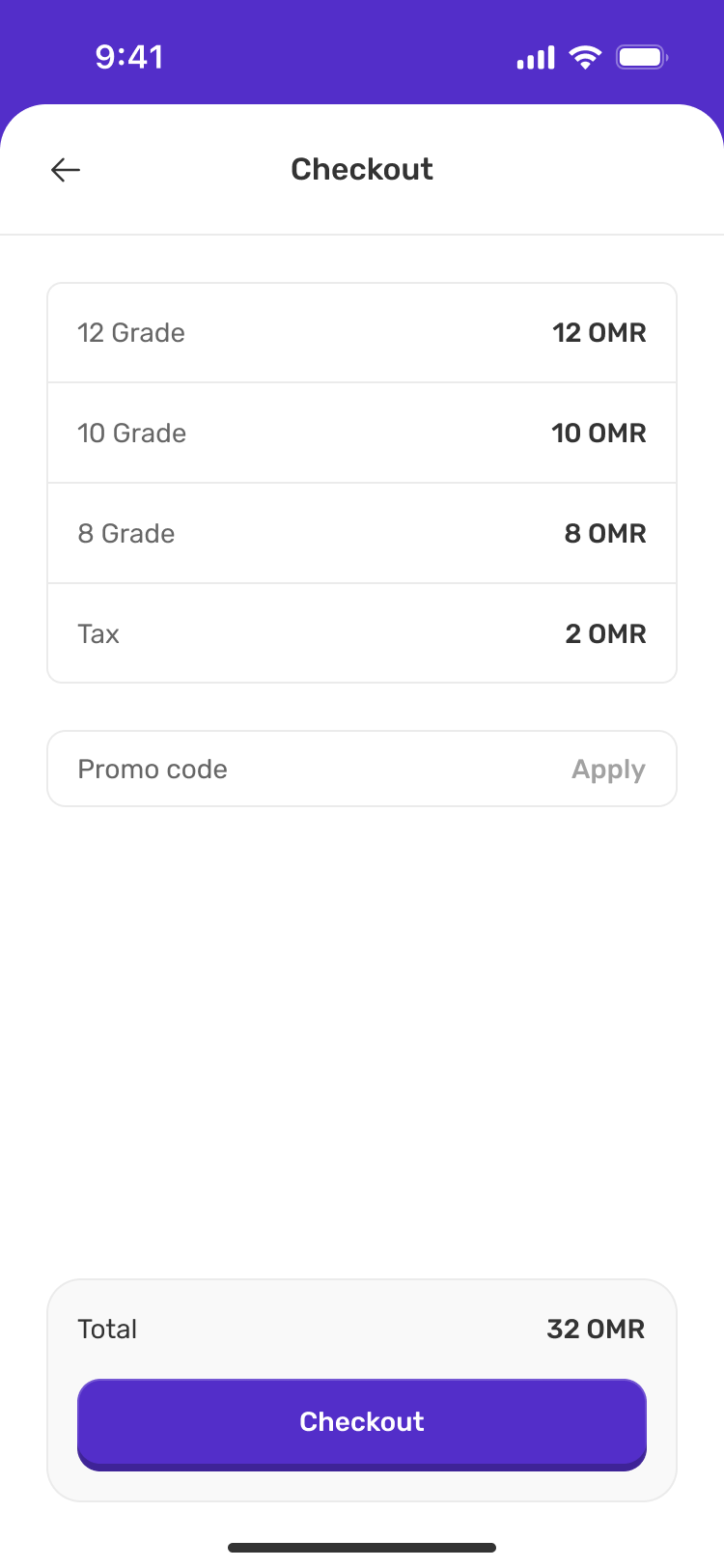
Verification, account context and confirmation screens
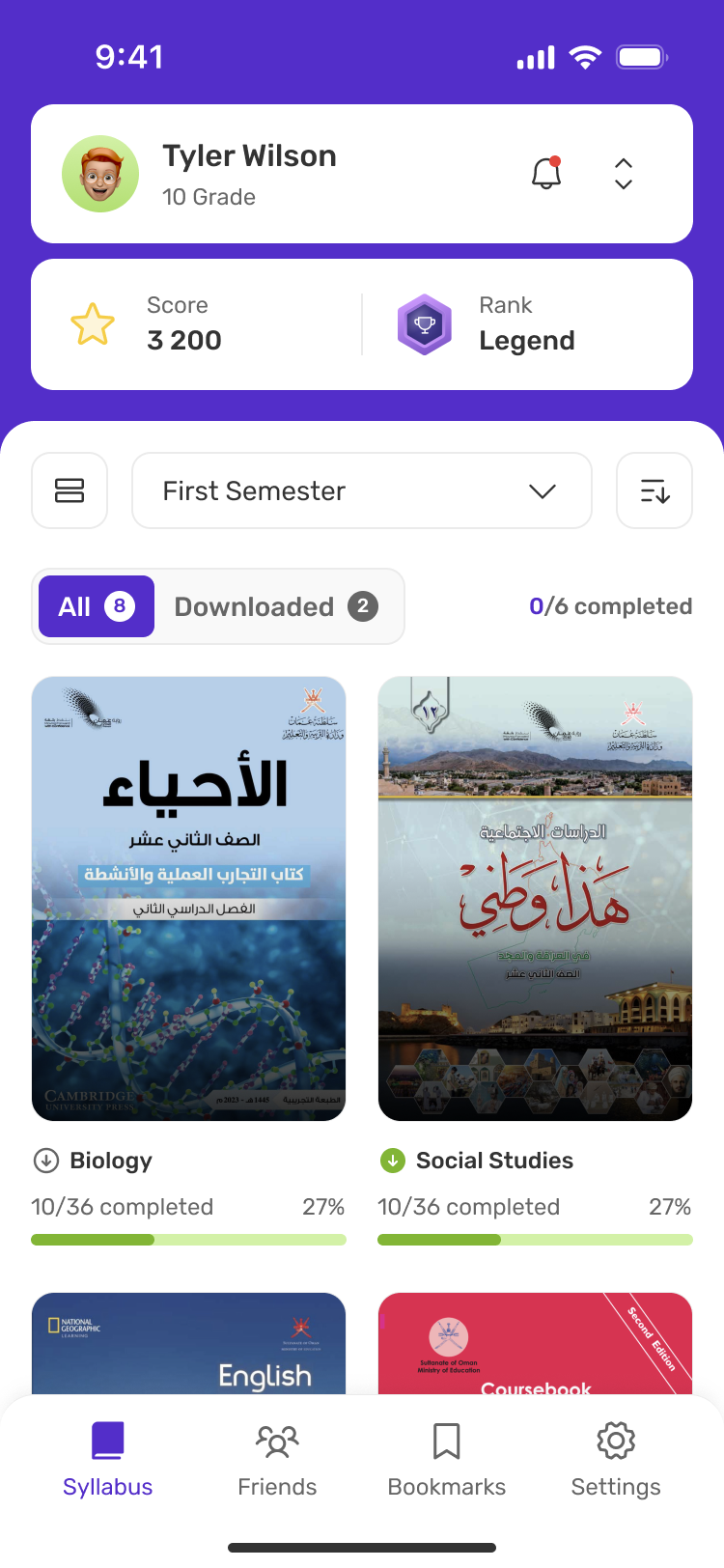
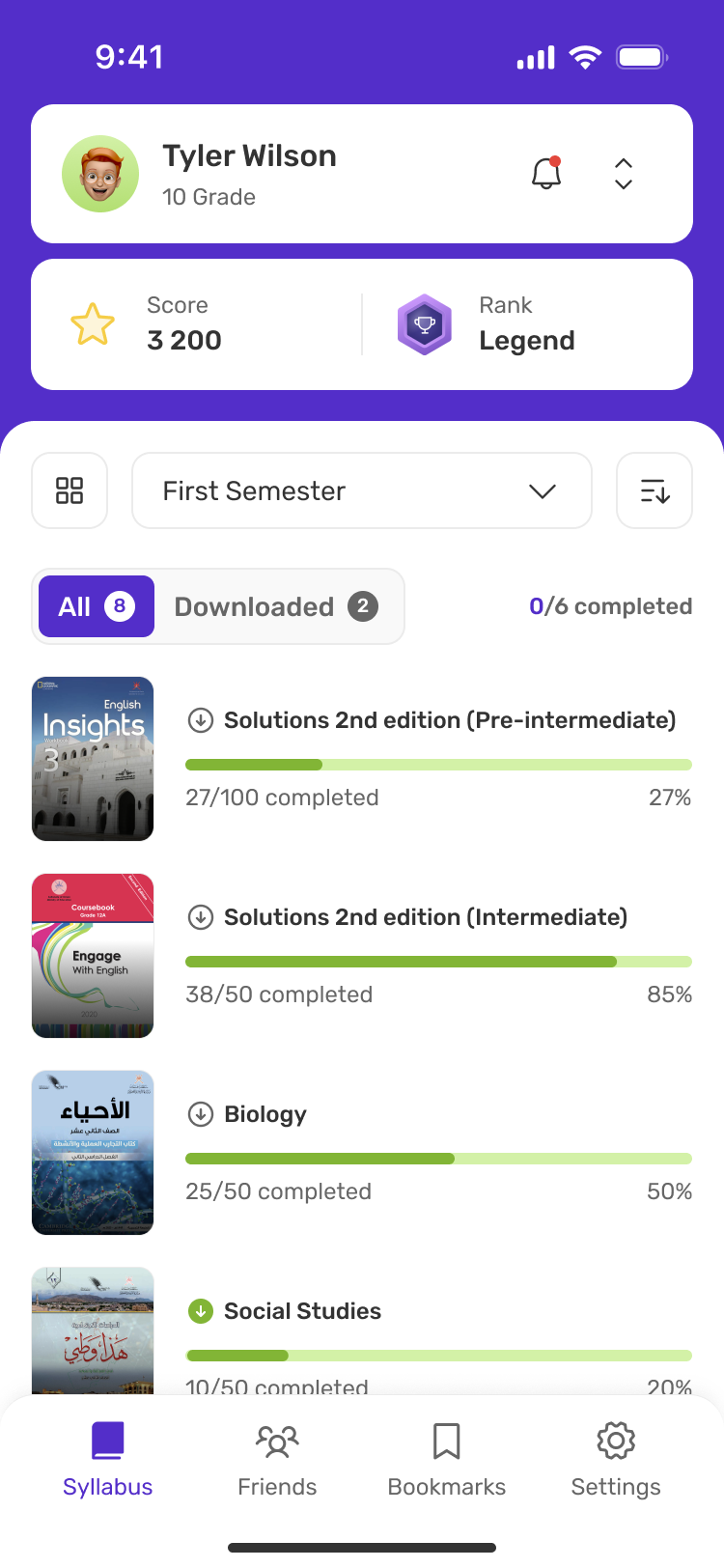
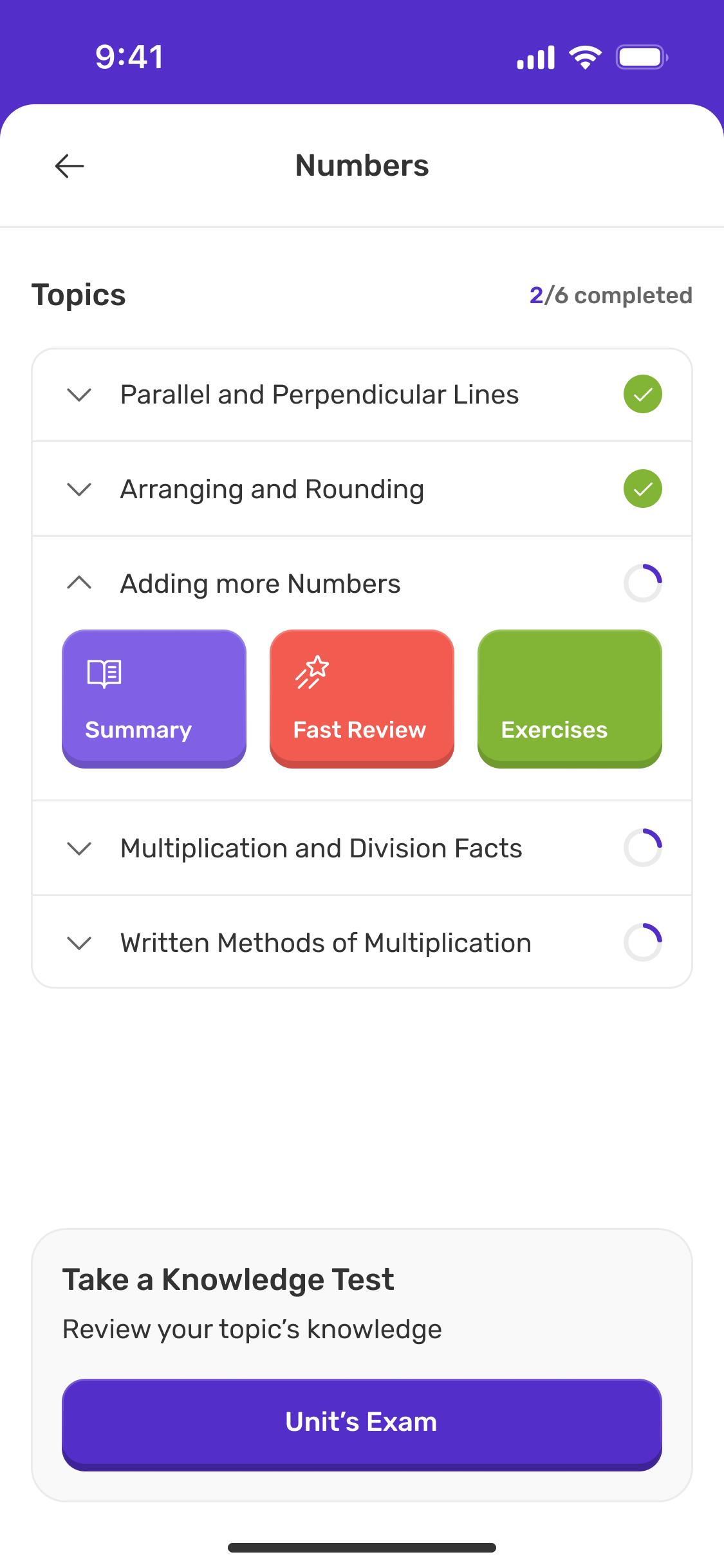
From finding to doing.
Challenge A nested curriculum needs distinct study modes.
Design decision I connected hierarchy, progress and activity feedback.
- Syllabus
- Subject
- Unit
- Topic
- Activity
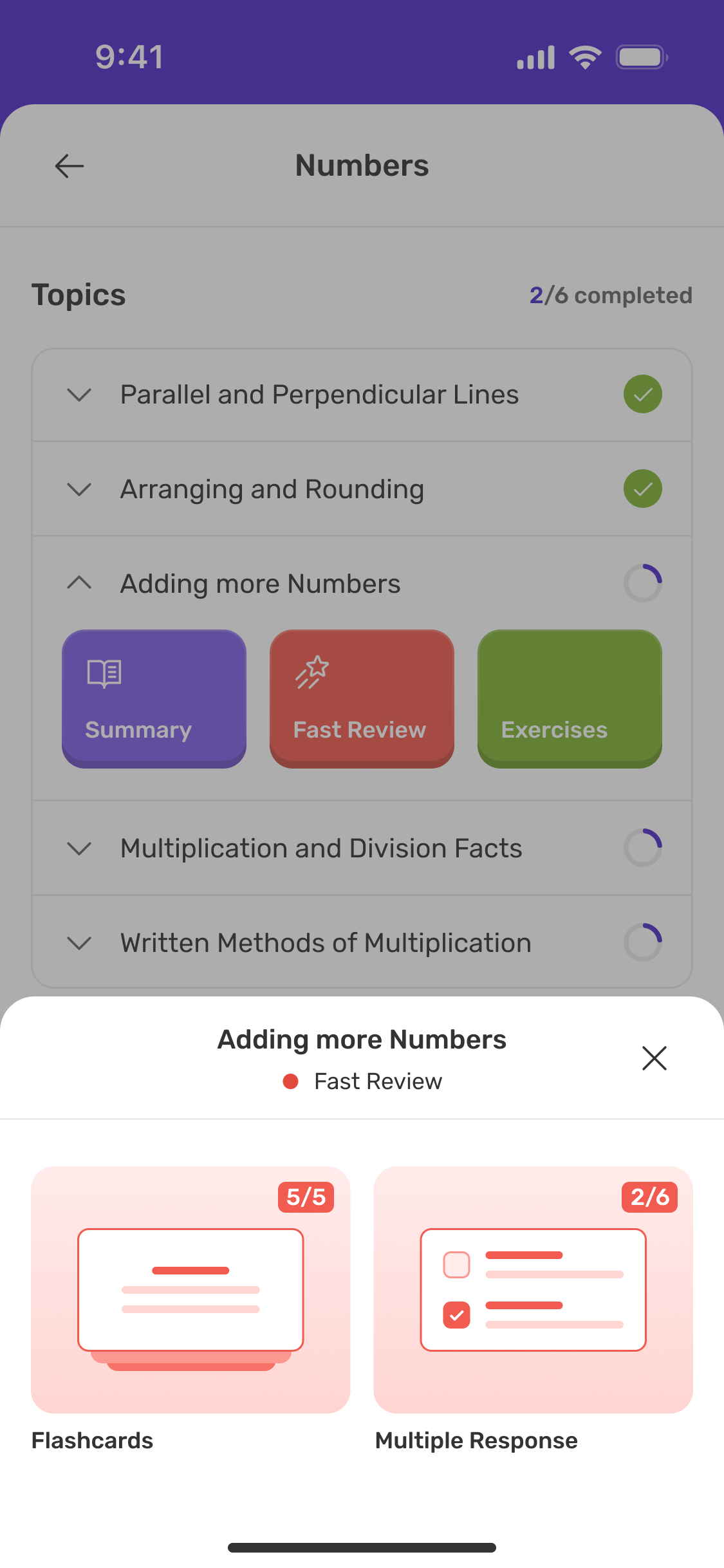
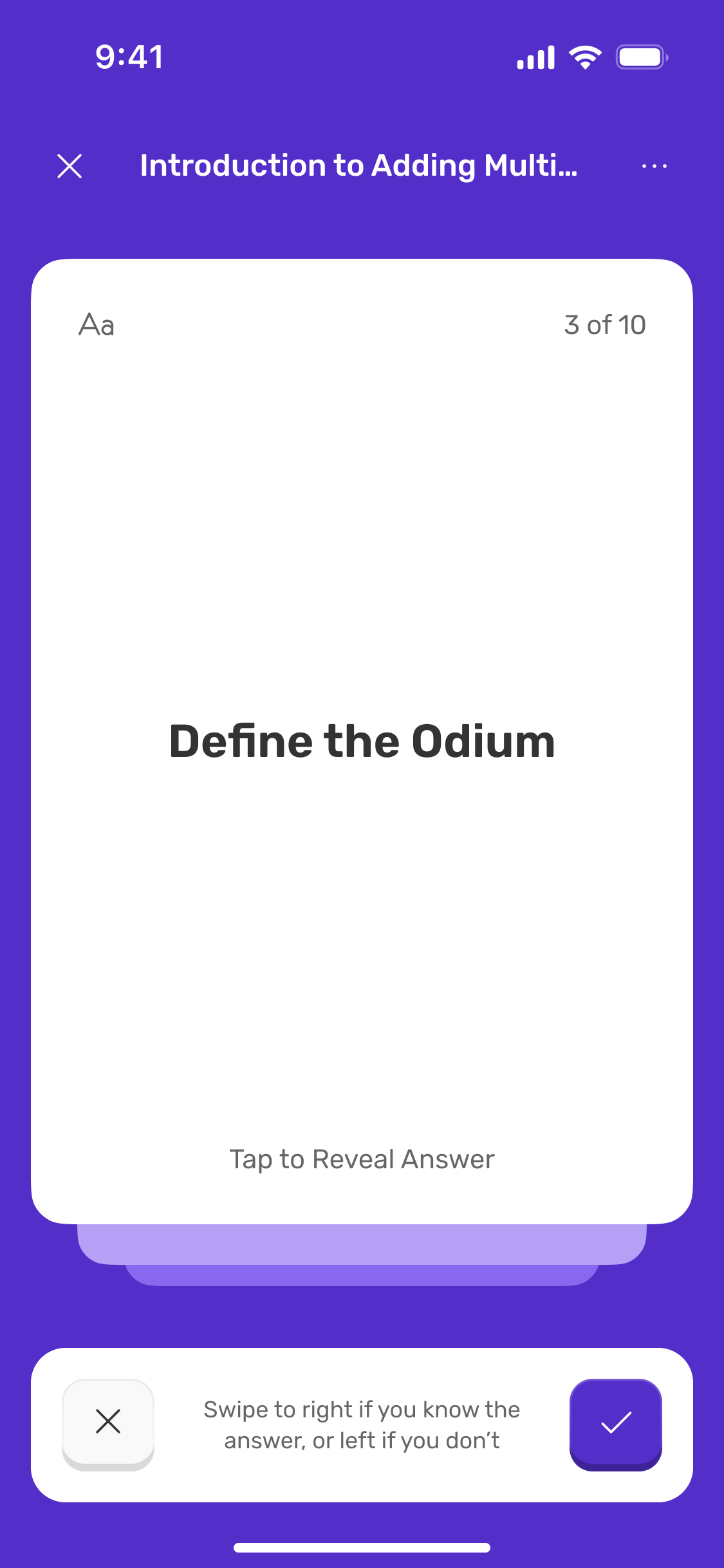
Fast Review
A focused rhythm of recall, reveal and self-assessment.
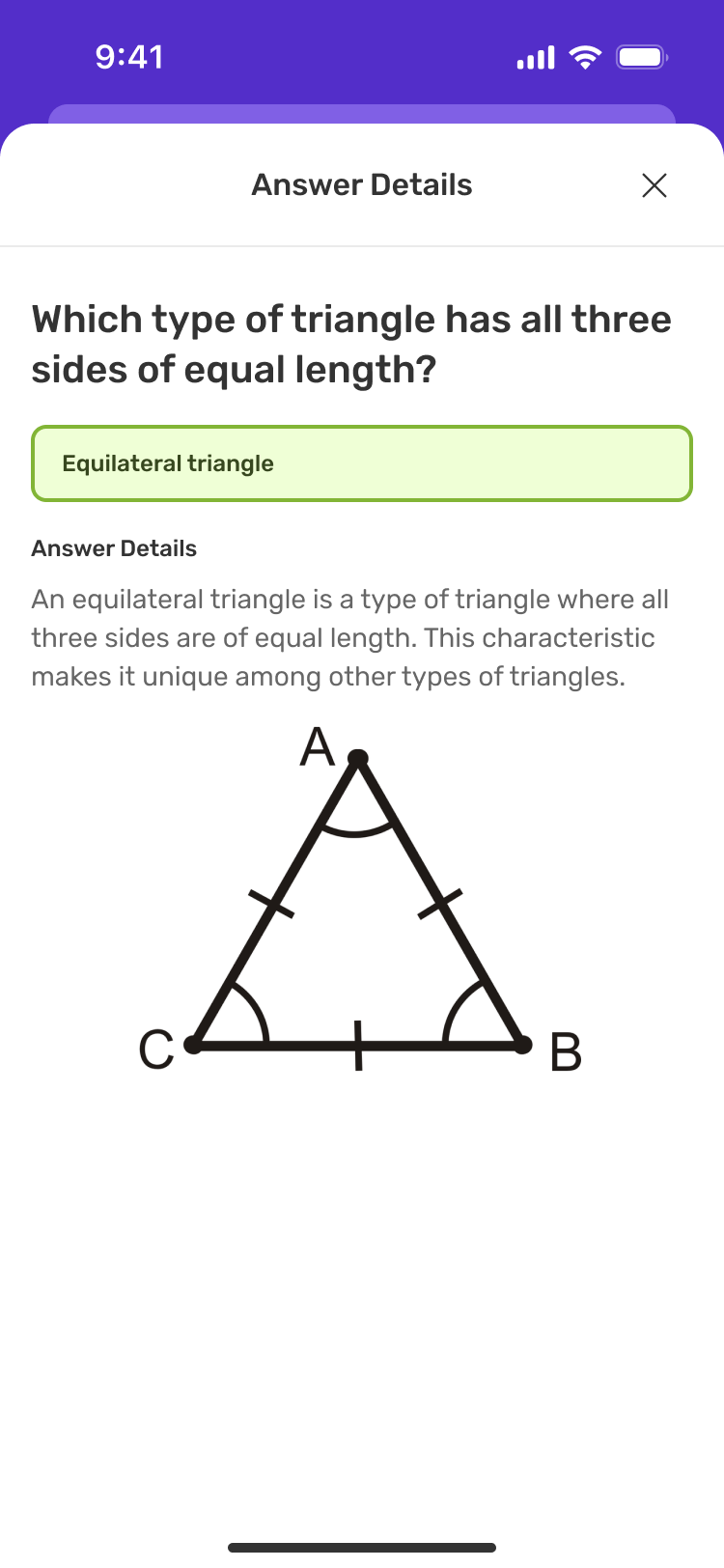
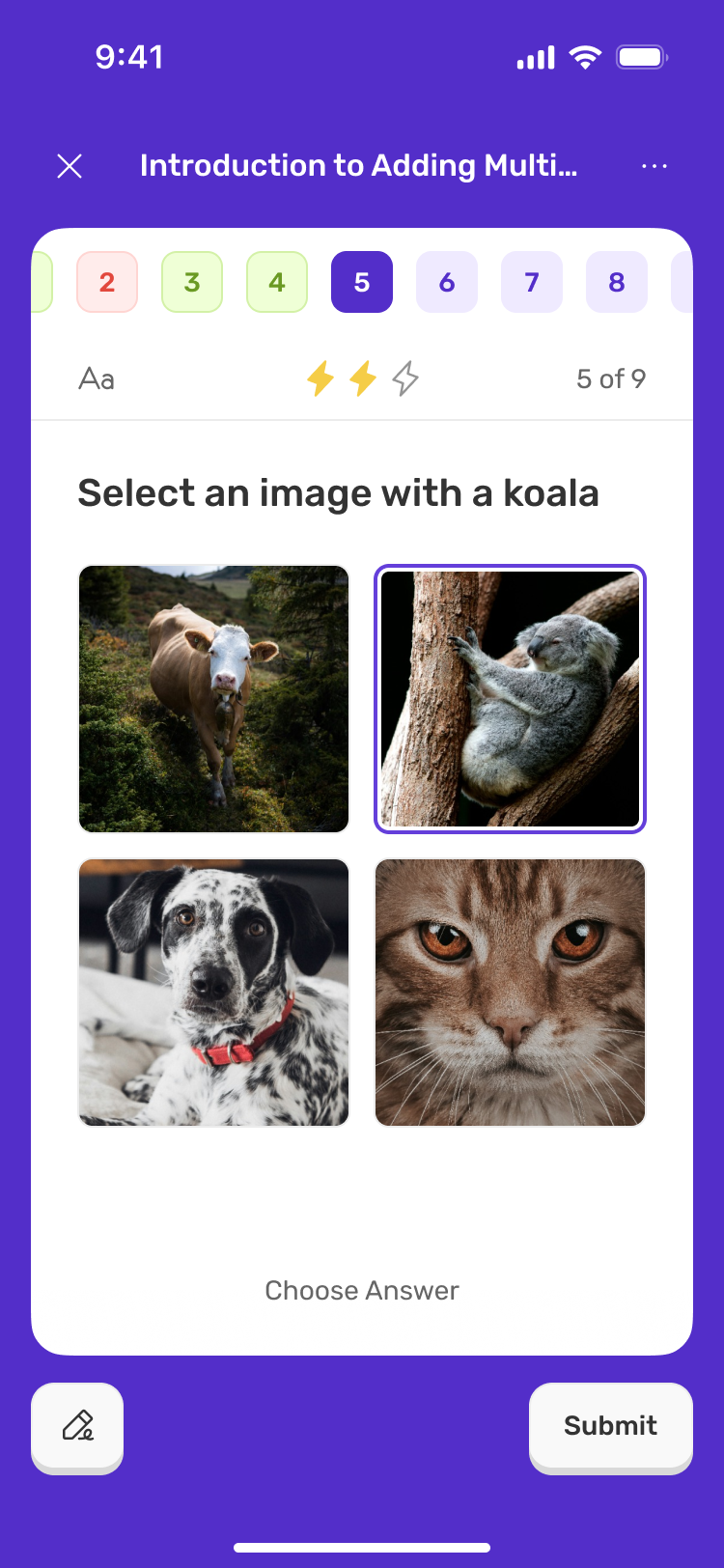
Exercises
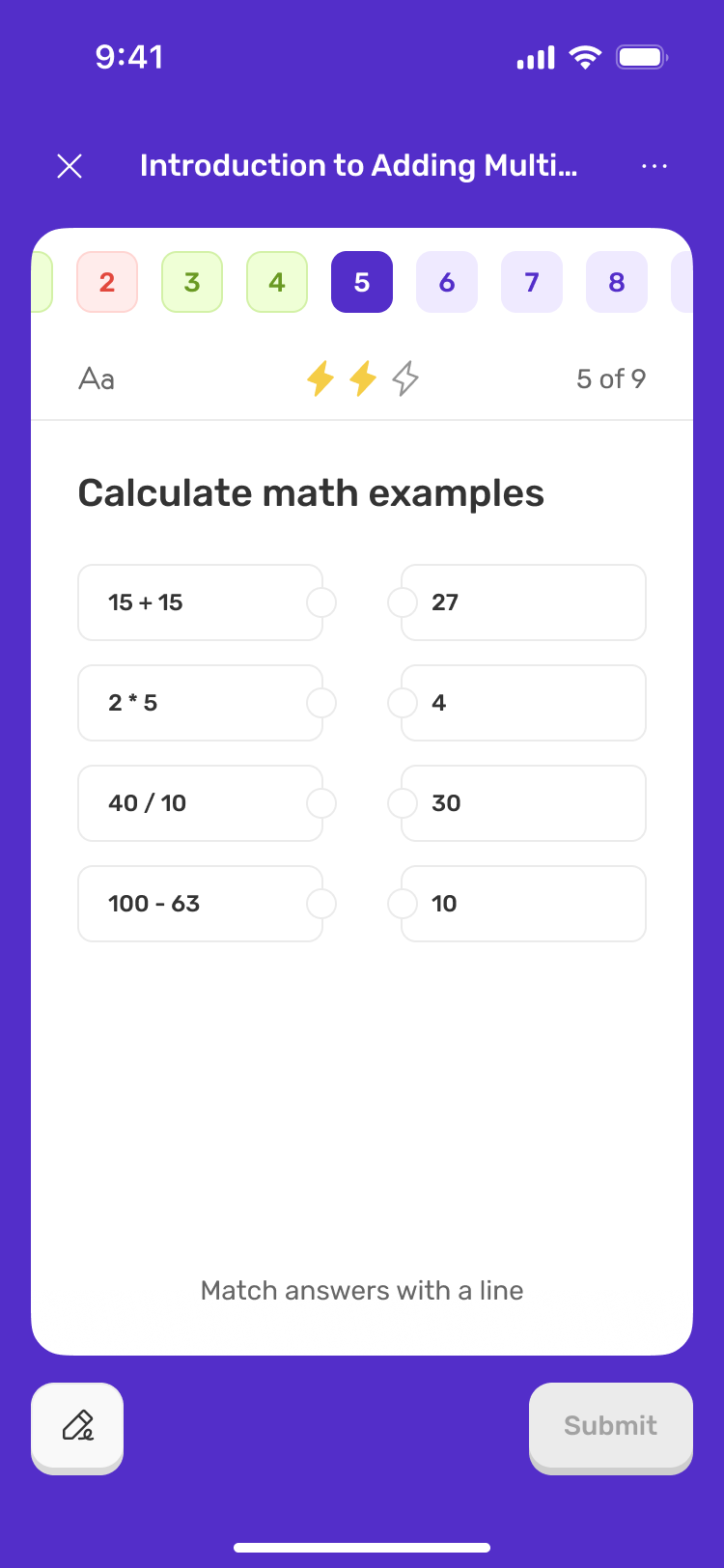
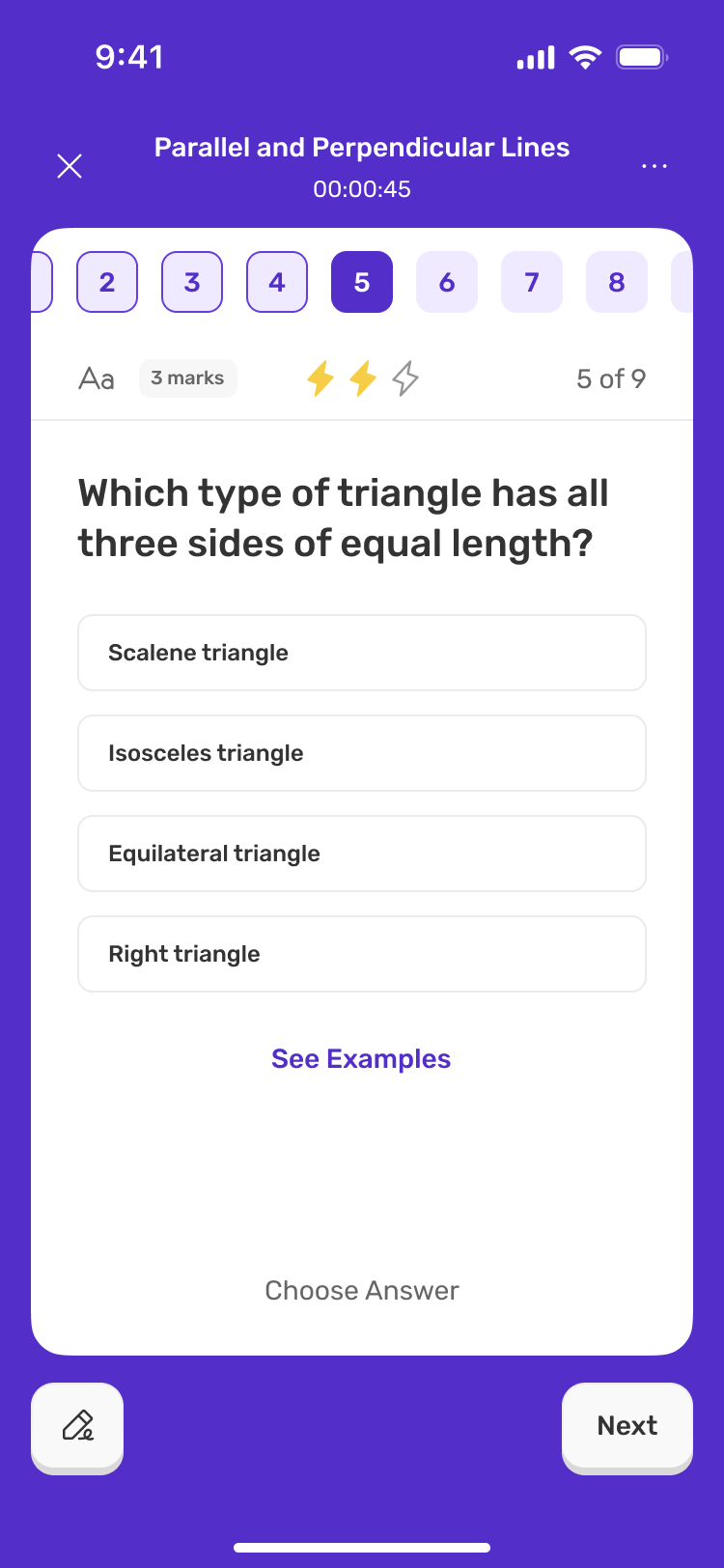
Question types and answer explanations in one consistent language.
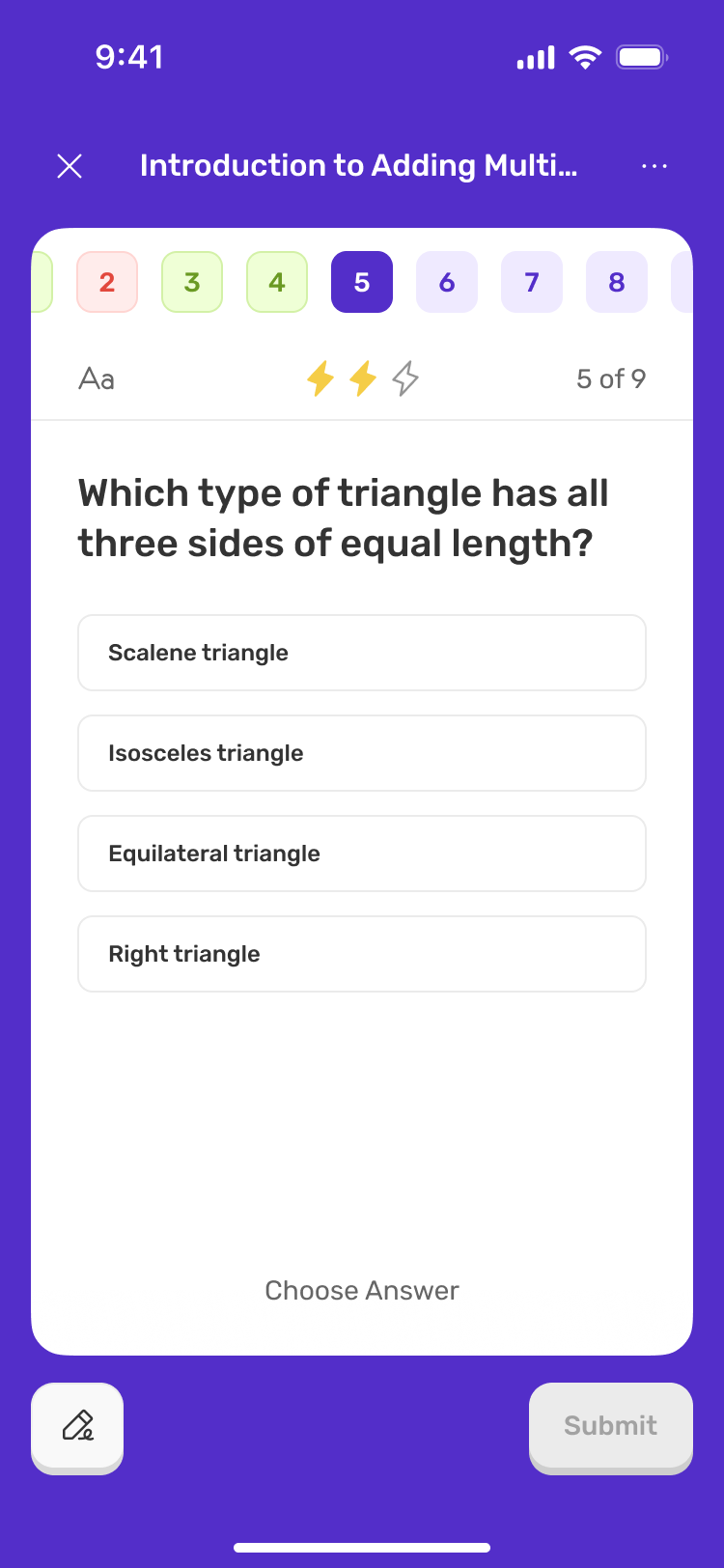
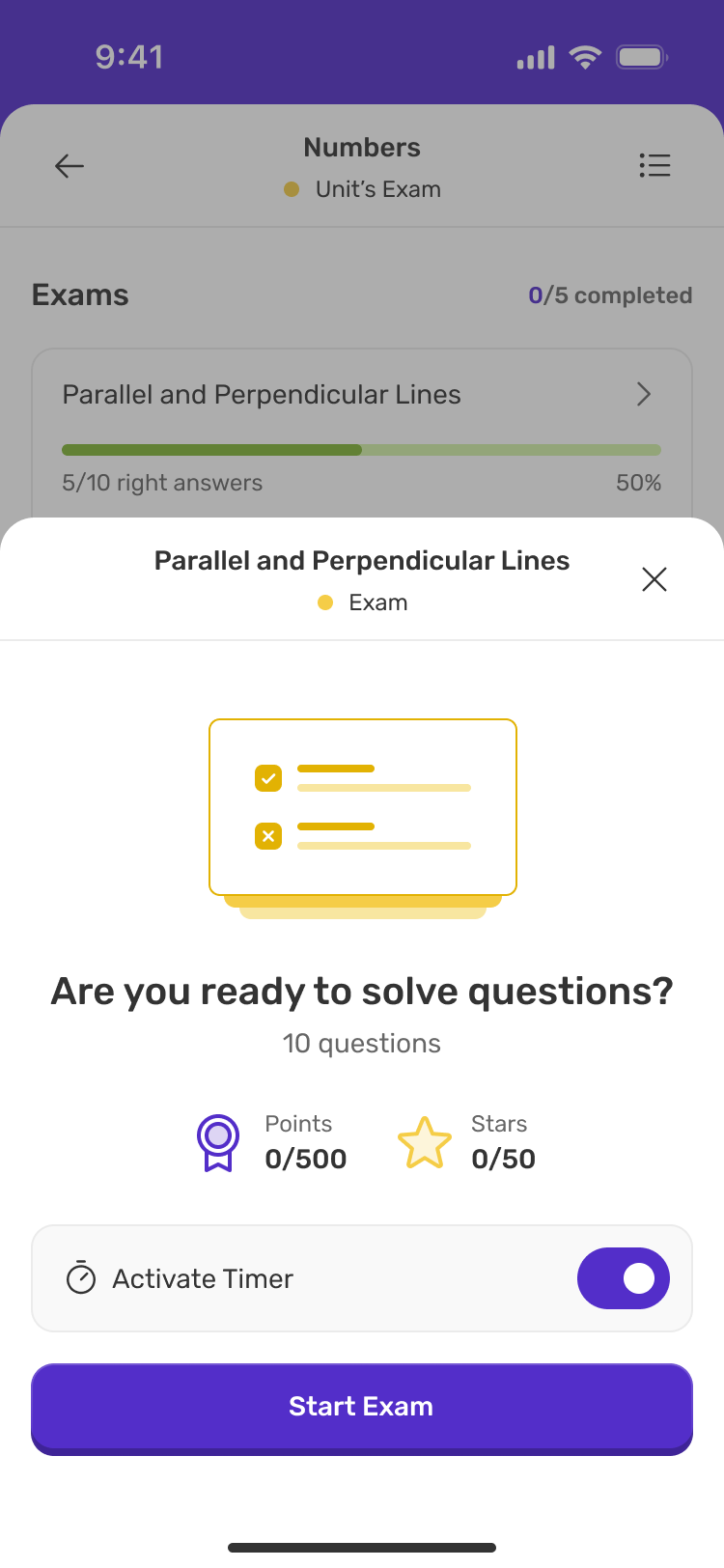
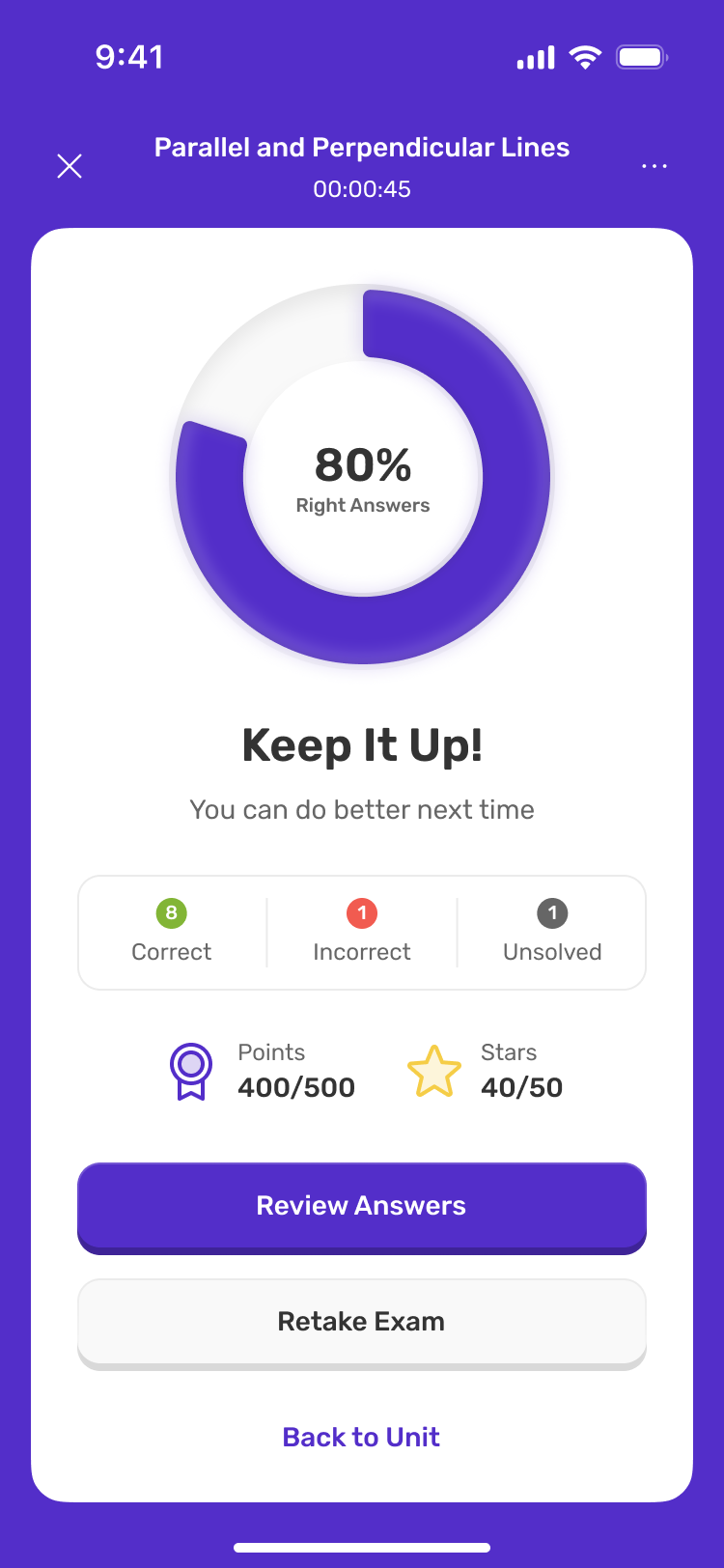
Exams
Navigation, optional timing and a clear completion state.
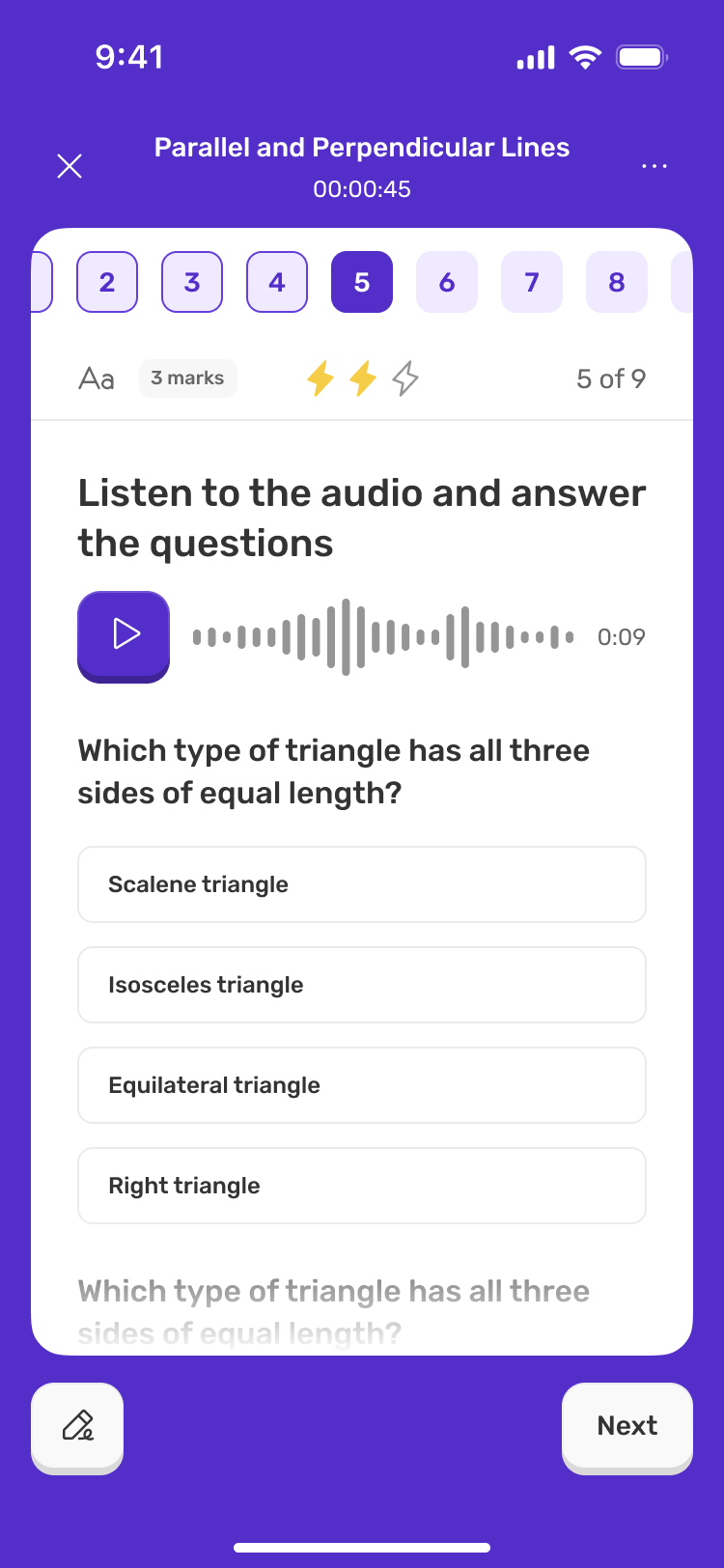
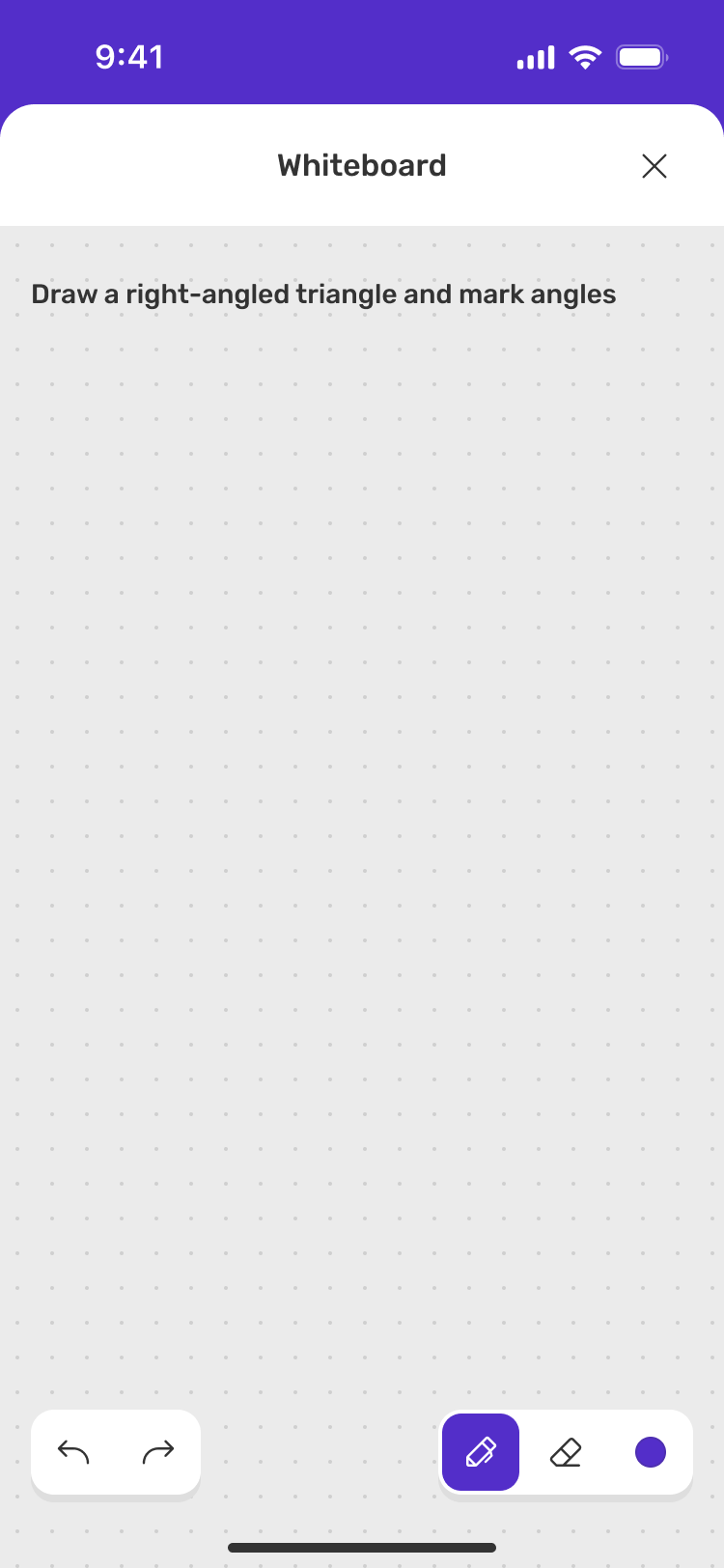
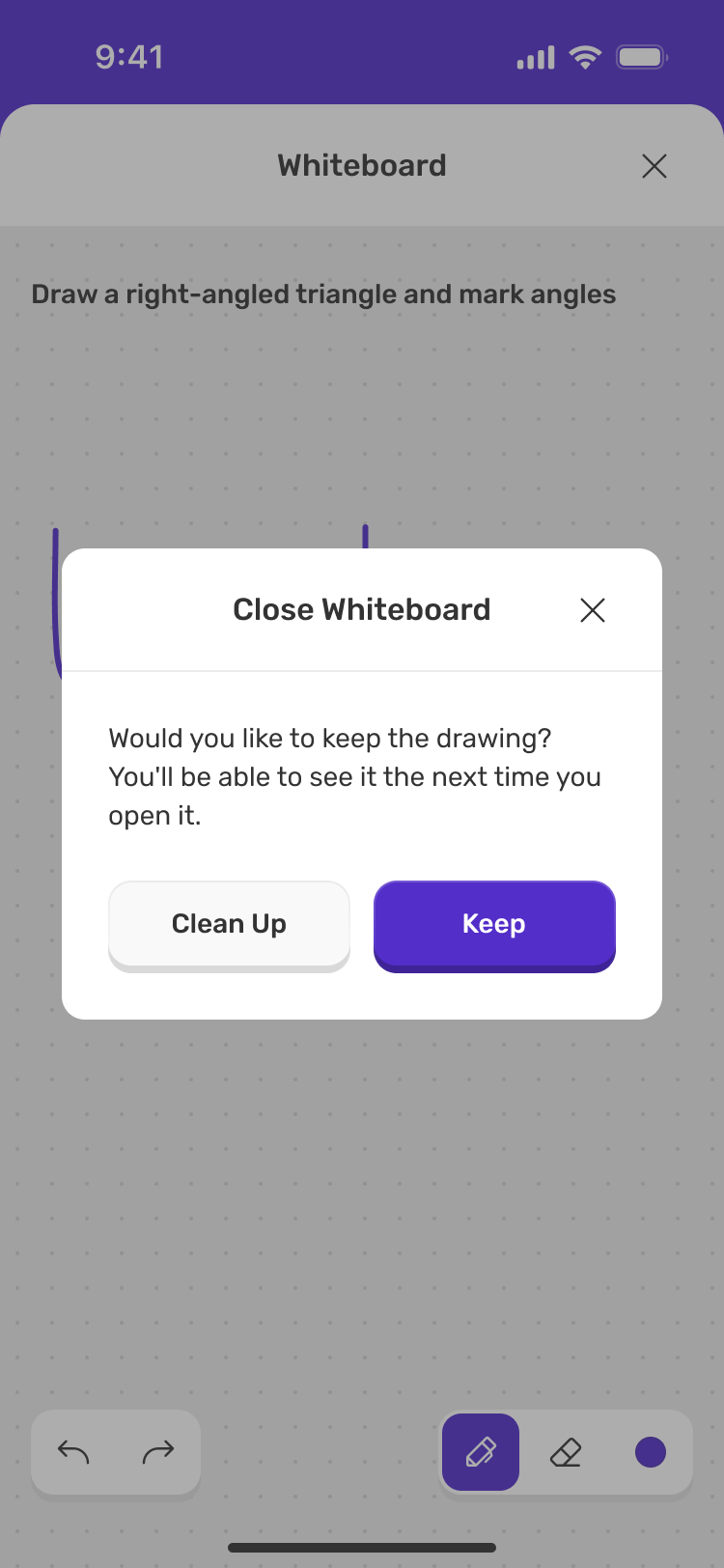
Matching, question navigation and whiteboard states
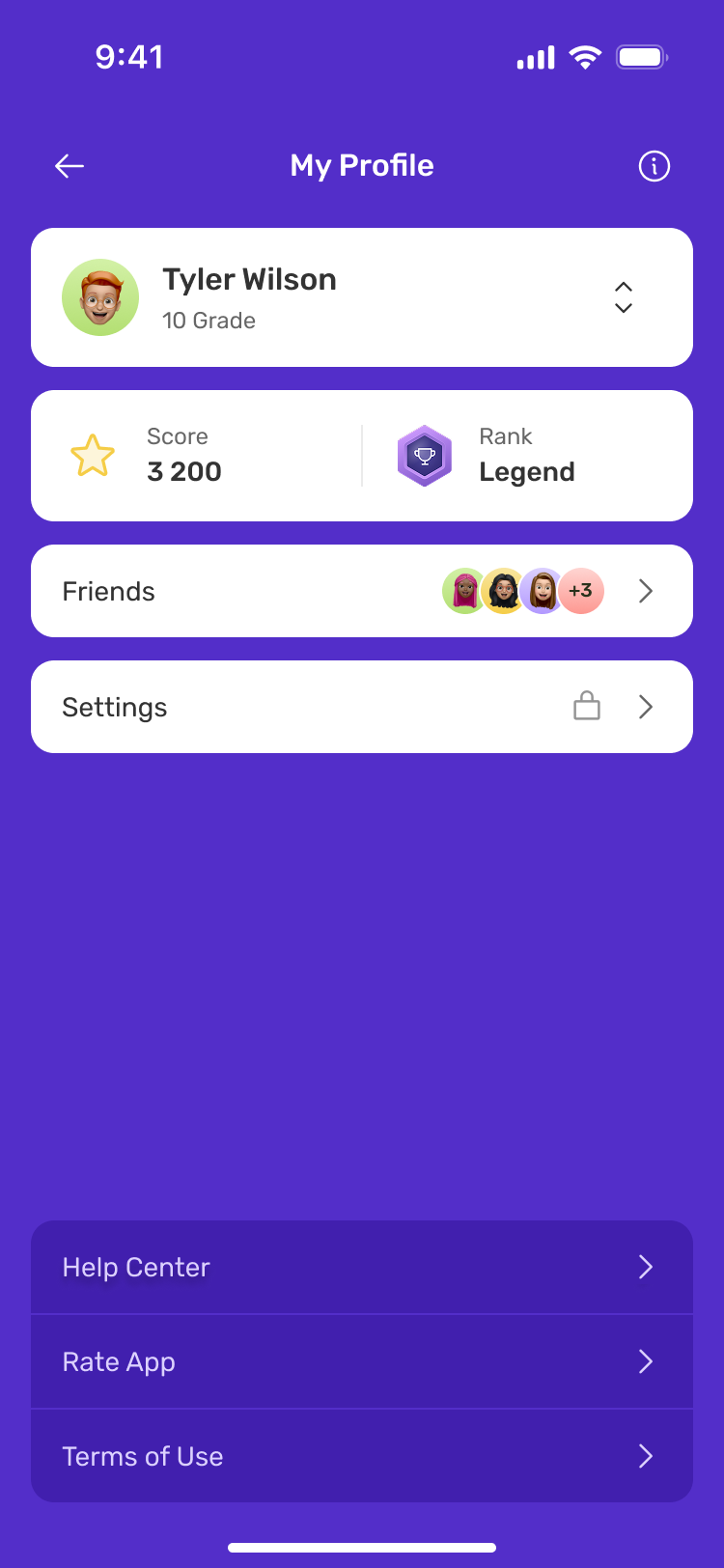
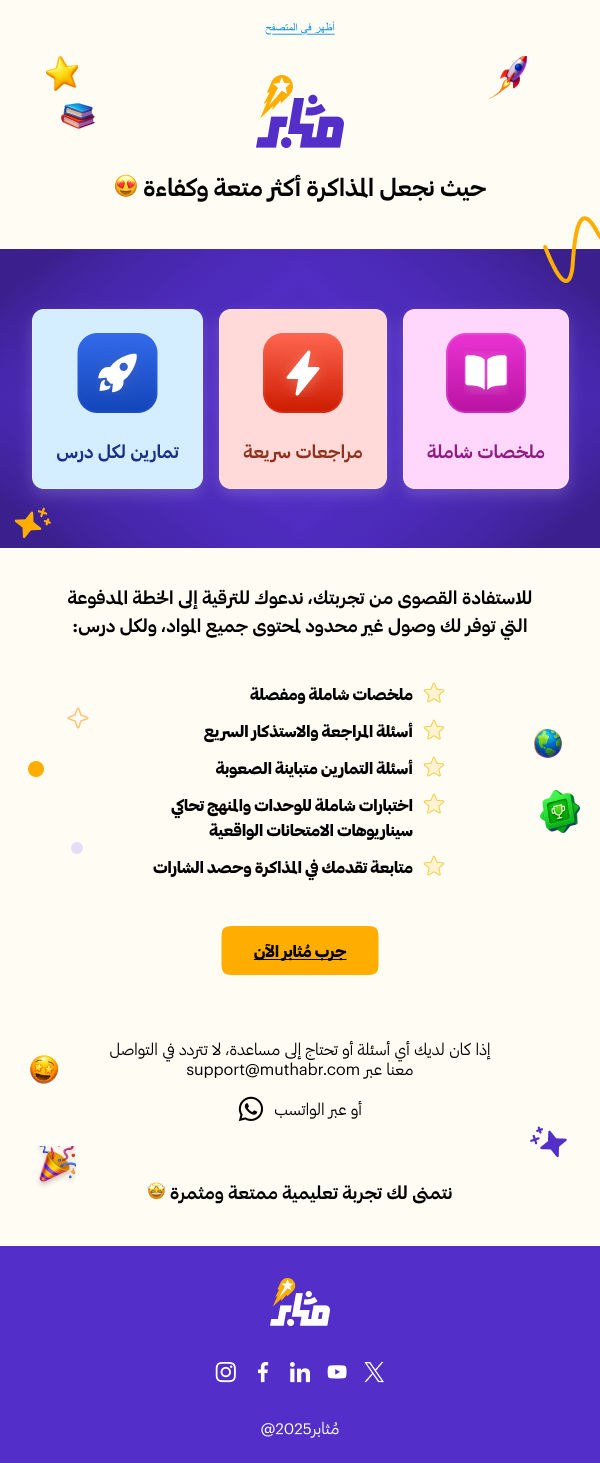
One experience. Every touchpoint.
Challenge The product spans several touchpoints.
Design decision I adapted interfaces and communication hierarchy.
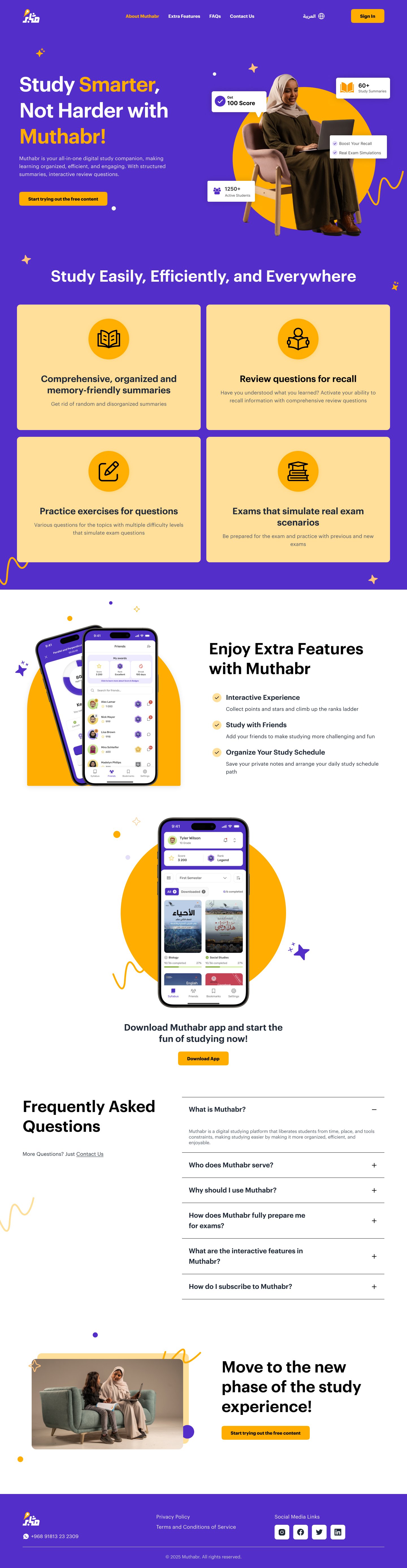

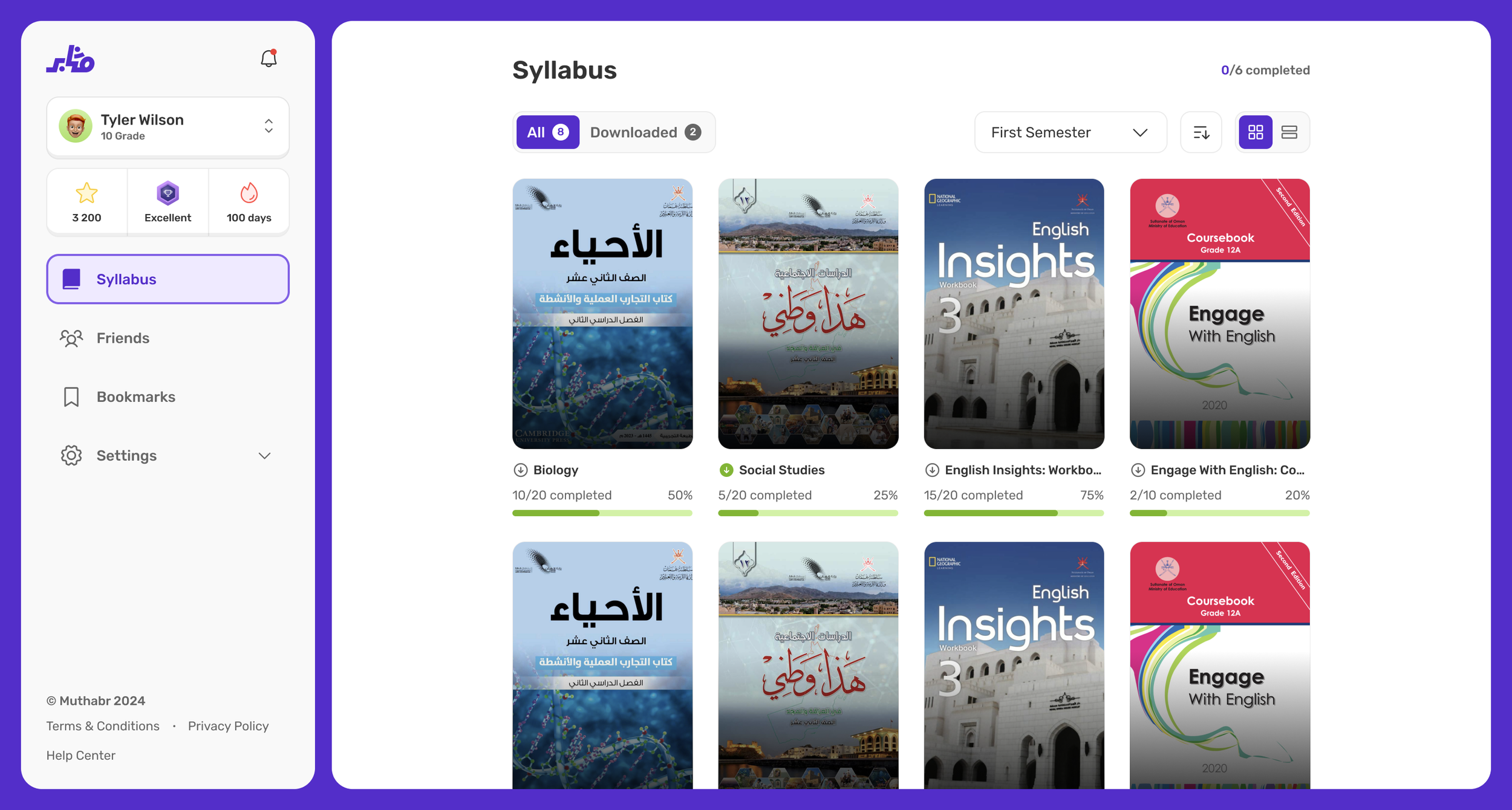
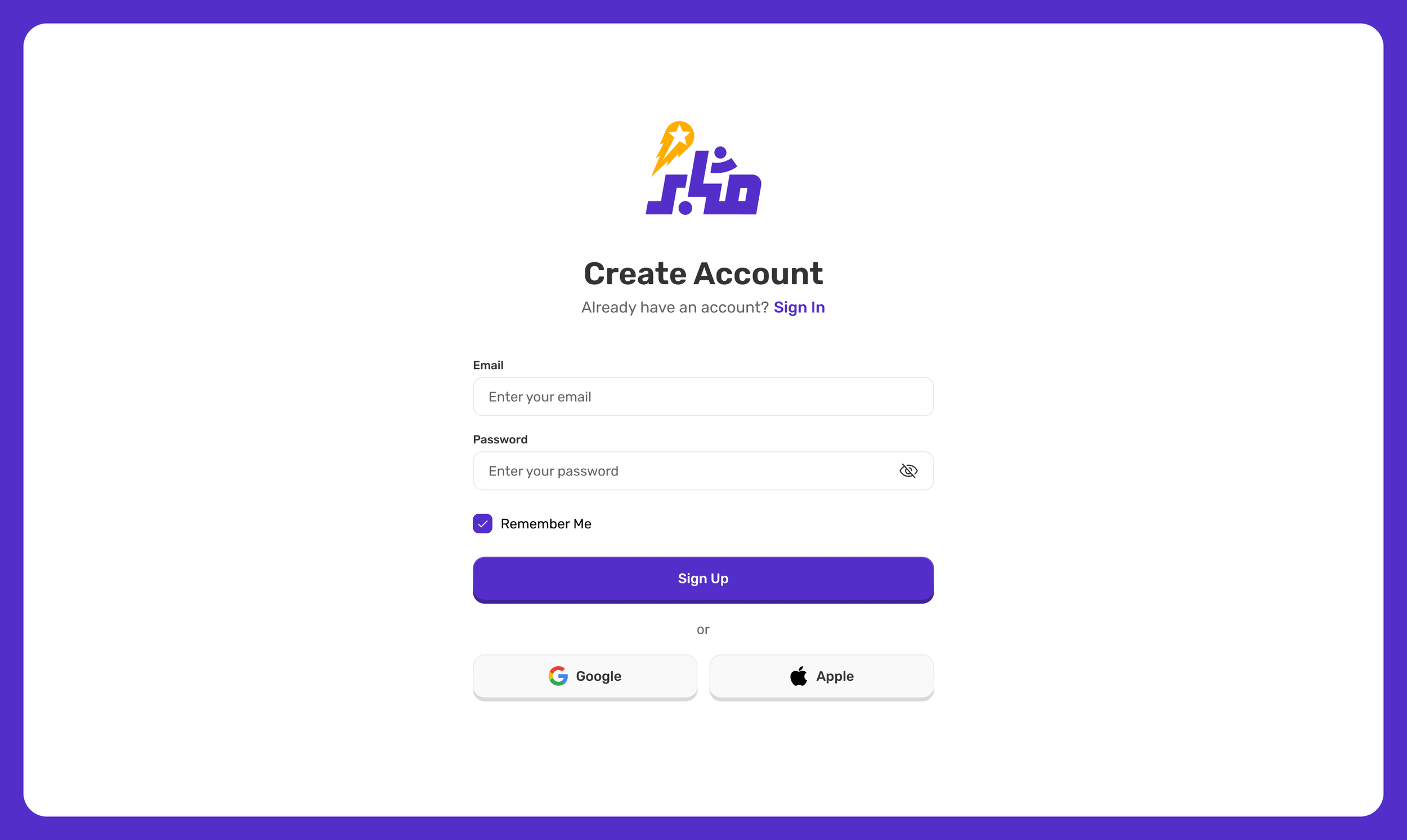
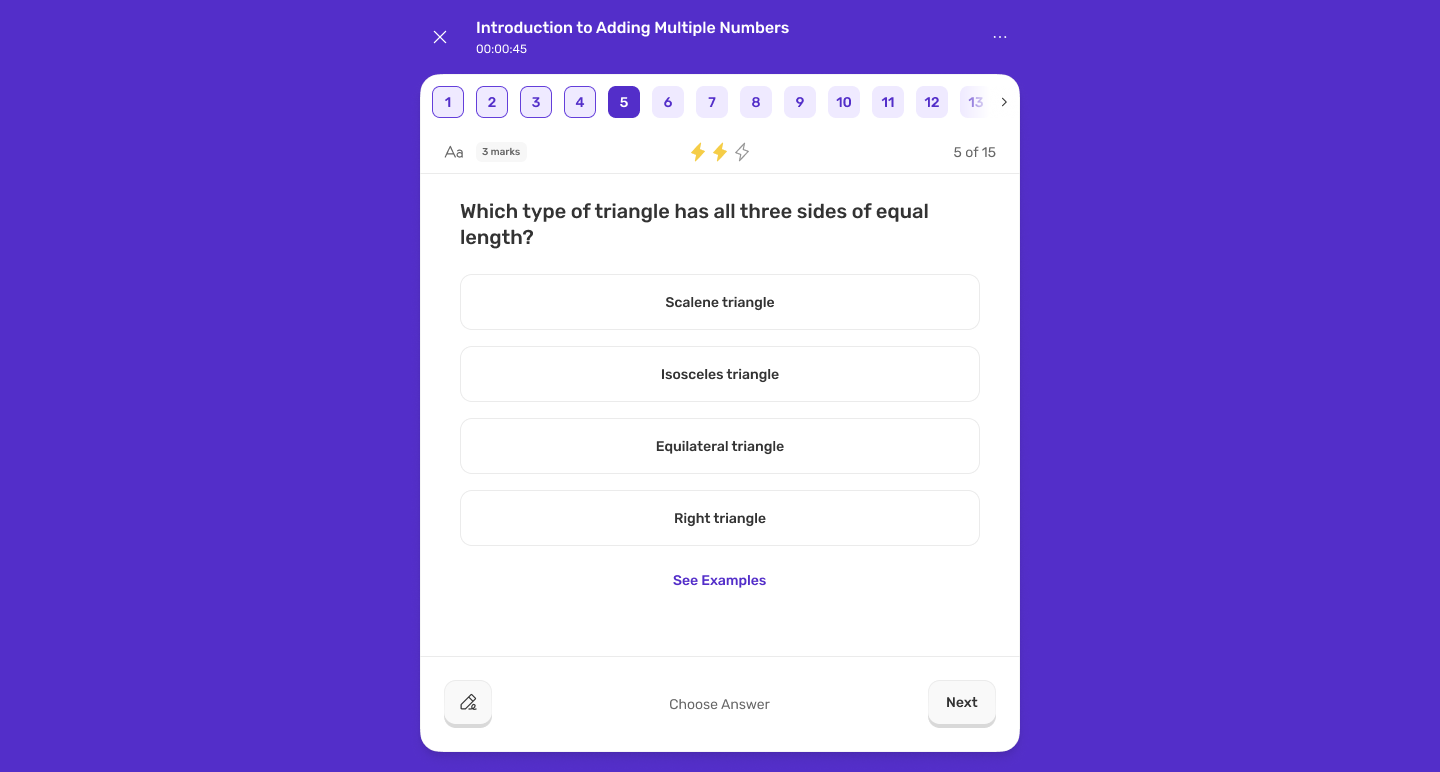
Email, with the same voice.



Understanding how students use the app.
I evaluated the core journeys from account access and study navigation to subscriptions and connecting with friends. I looked for successful task completion, hesitation, errors and points where students needed guidance.
Moderated remote sessions with eight students aged 15 to 18.
Core user flows
Access an account
Create an account, complete verification and recover when a code fails.
Reach study material
Navigate from a syllabus to a subject, topic and learning activity.
Choose a subscription
Compare plans, understand access and review the cost before payment.
Connect with friends
Review the friends view and find a route to connect with another student.
The review considered whether students could complete each task and understand the next step.
What the testing revealed
What worked
Account registration and price review had successful completions, showing that parts of the existing journeys were understandable.
I kept the basic account and purchase structure, focusing changes on the steps that caused uncertainty.
Where students struggled
Students had more difficulty recovering from verification errors and understanding subscription access. The plan options and final payment total needed clearer presentation.
The friends view needed a clearer distinction between connections, requests and suggestions. Referrals emerged as an opportunity to support inviting friends.
Turning findings into design changes
I used the findings to clarify subscription decisions, organise social interactions and introduce a dedicated referral journey.
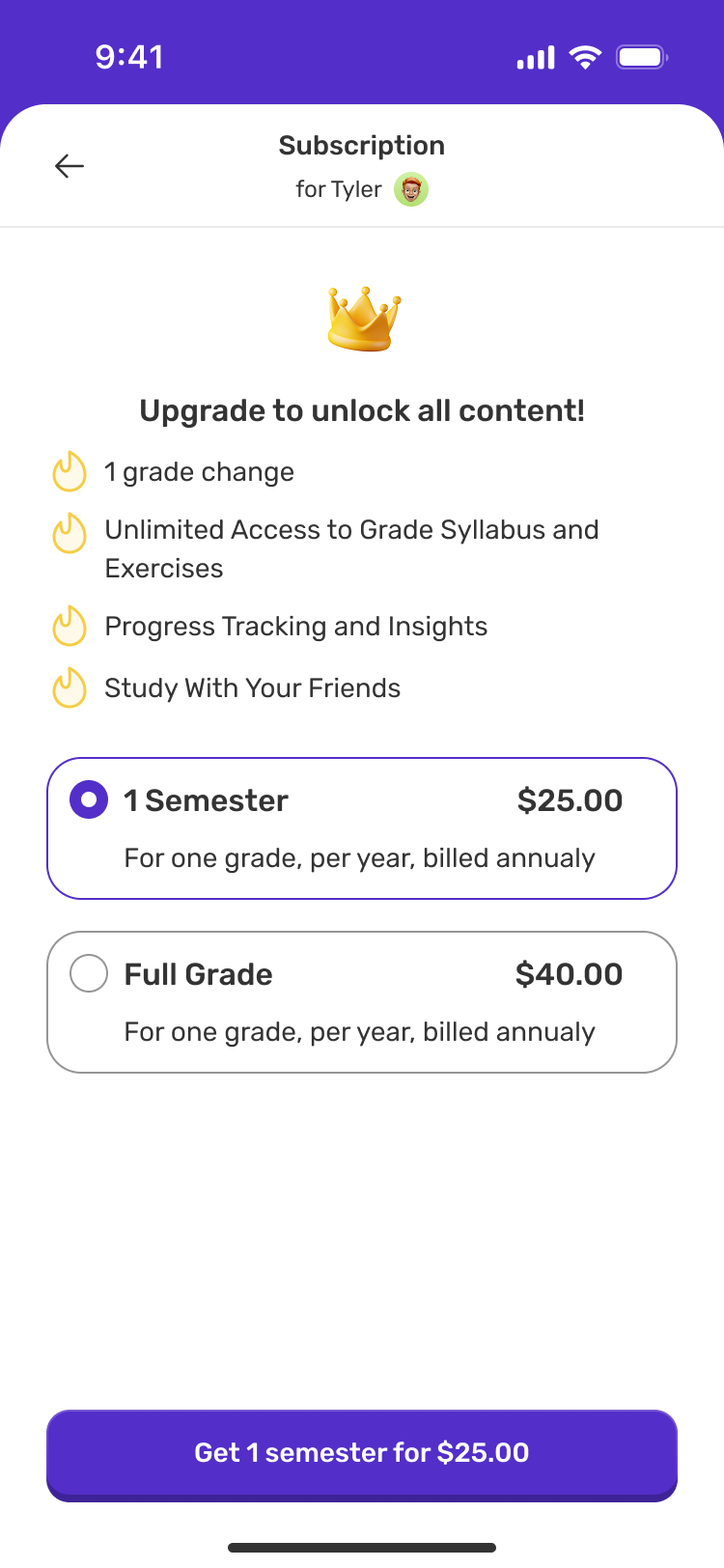
Subscriptions that make choices clearer.
Testing insight
Plan selection and price review exposed uncertainty about what each package included and the amount payable.
Design response
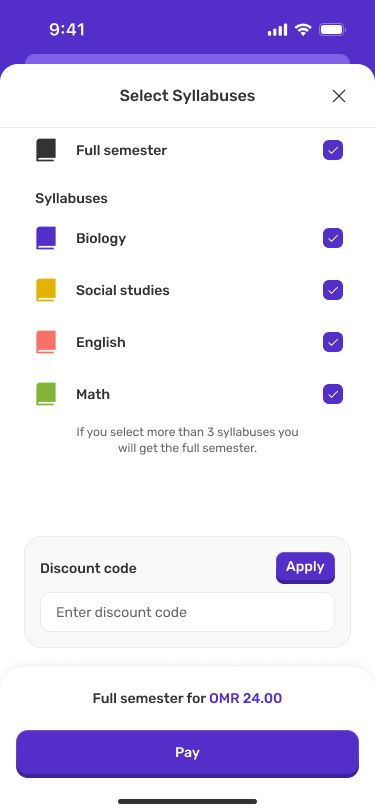
Separate semester and full-grade options, make savings visible and add a subject-selection step before payment.
Original
Redesigned
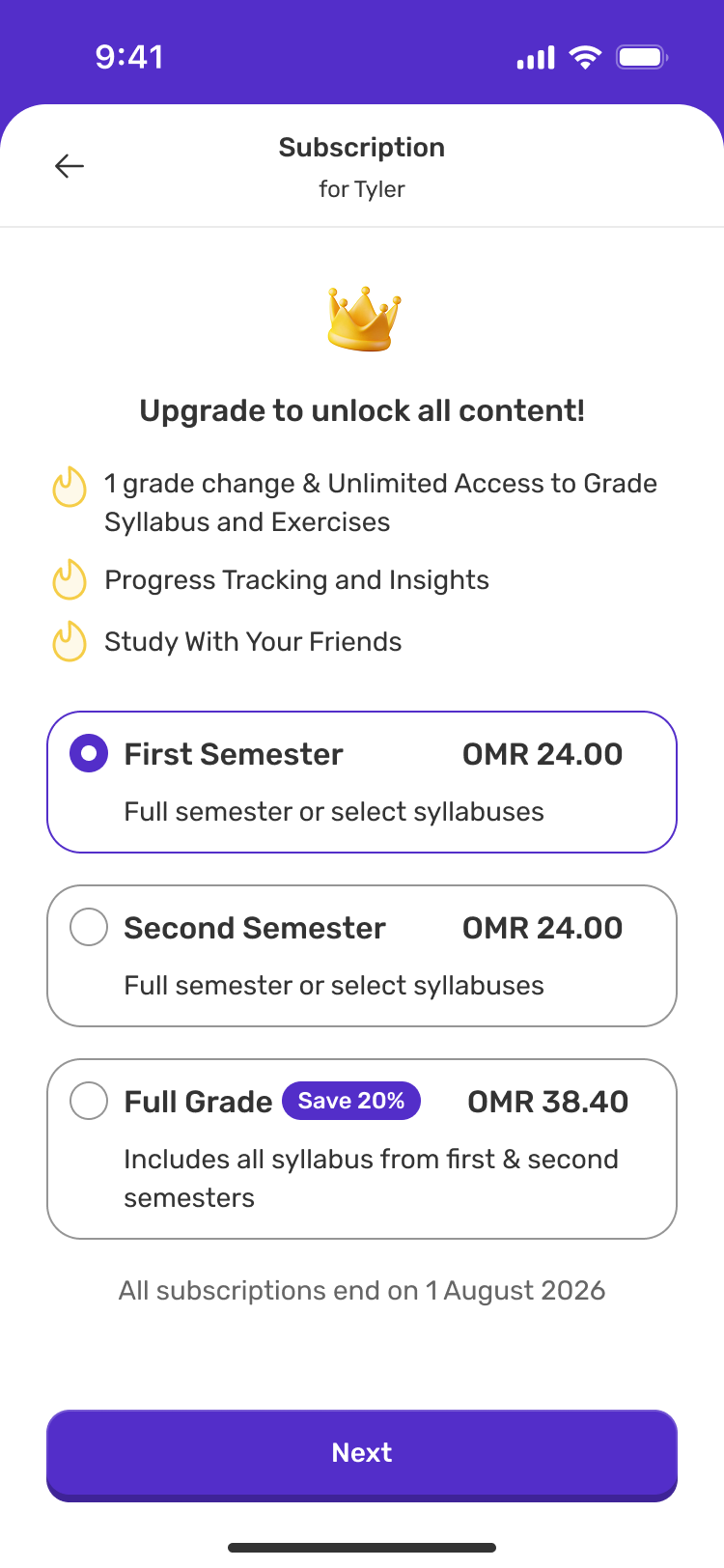
From a plan to a clear payment total
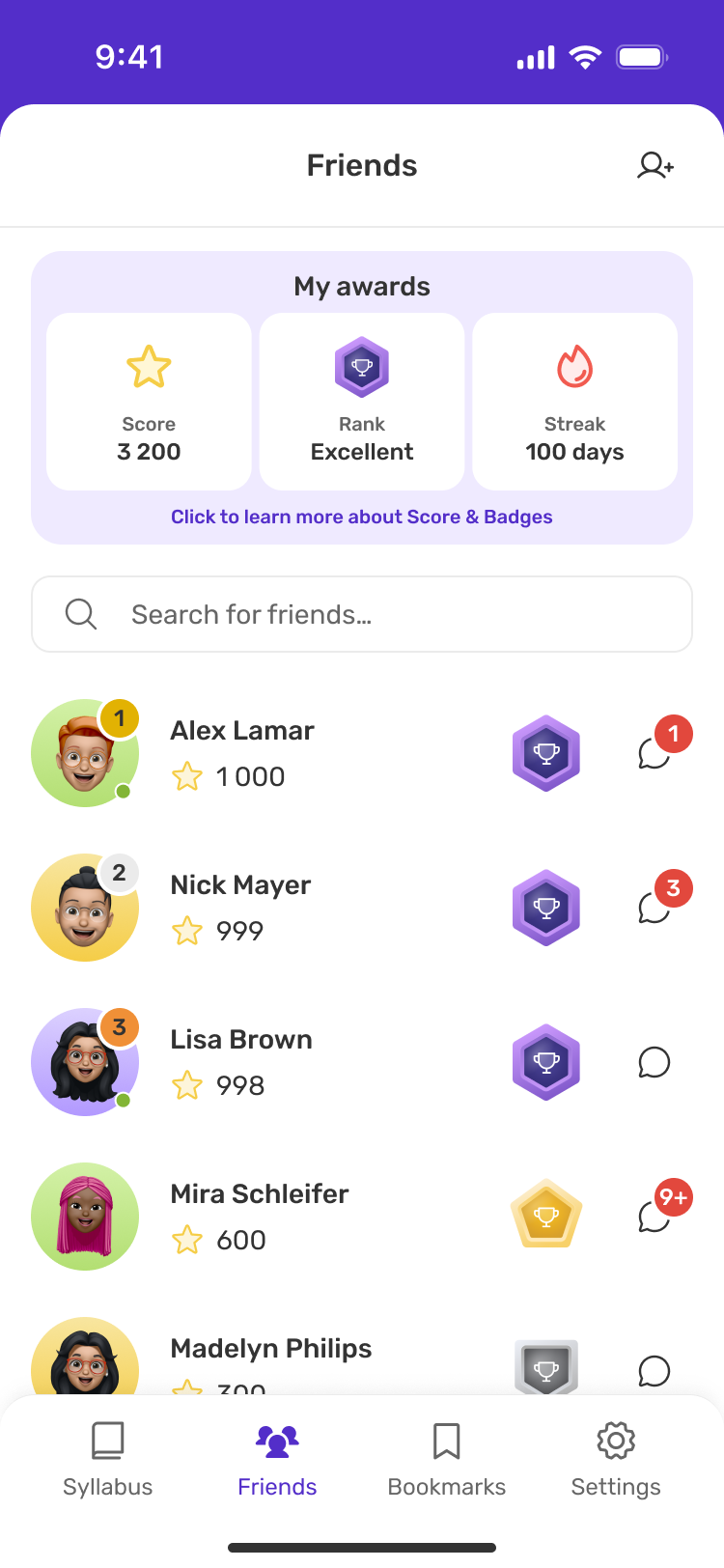
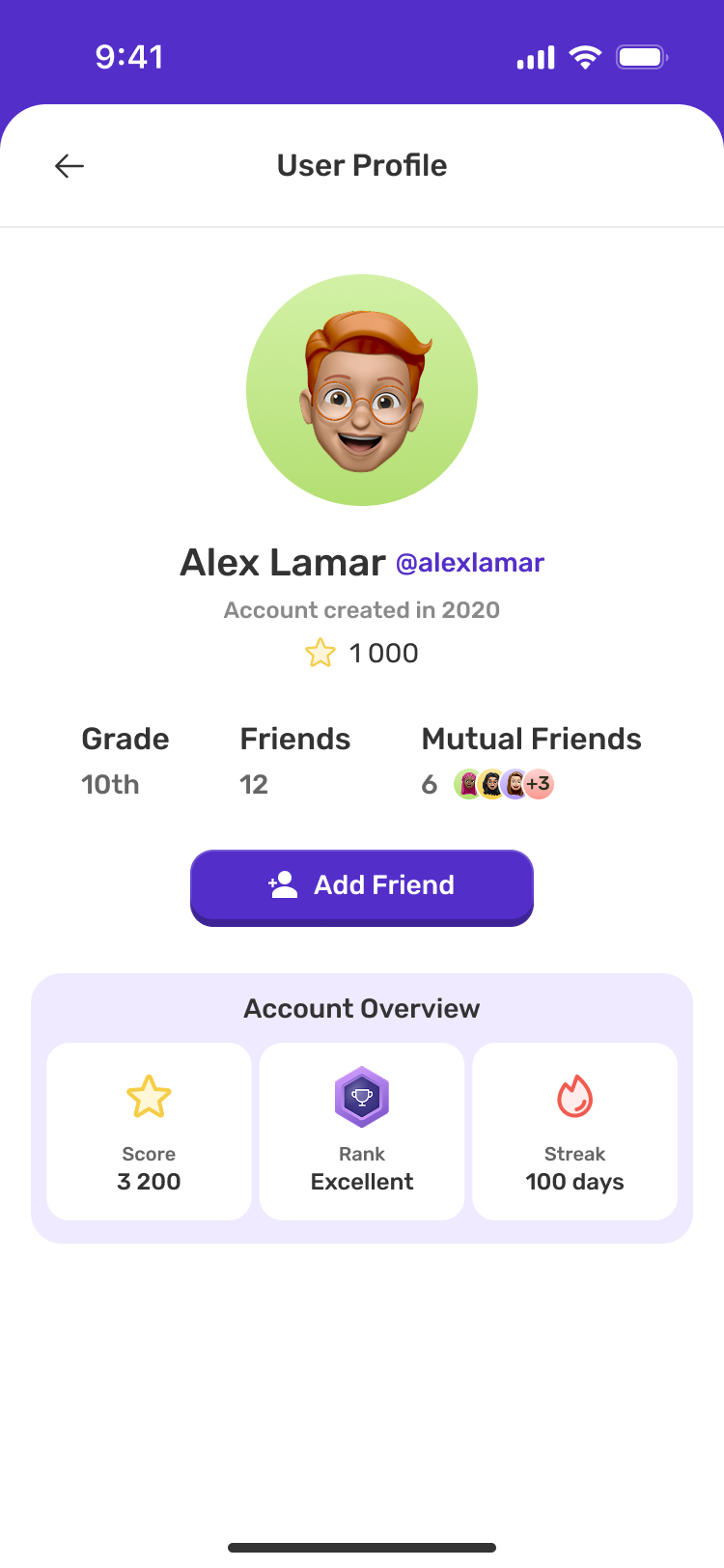
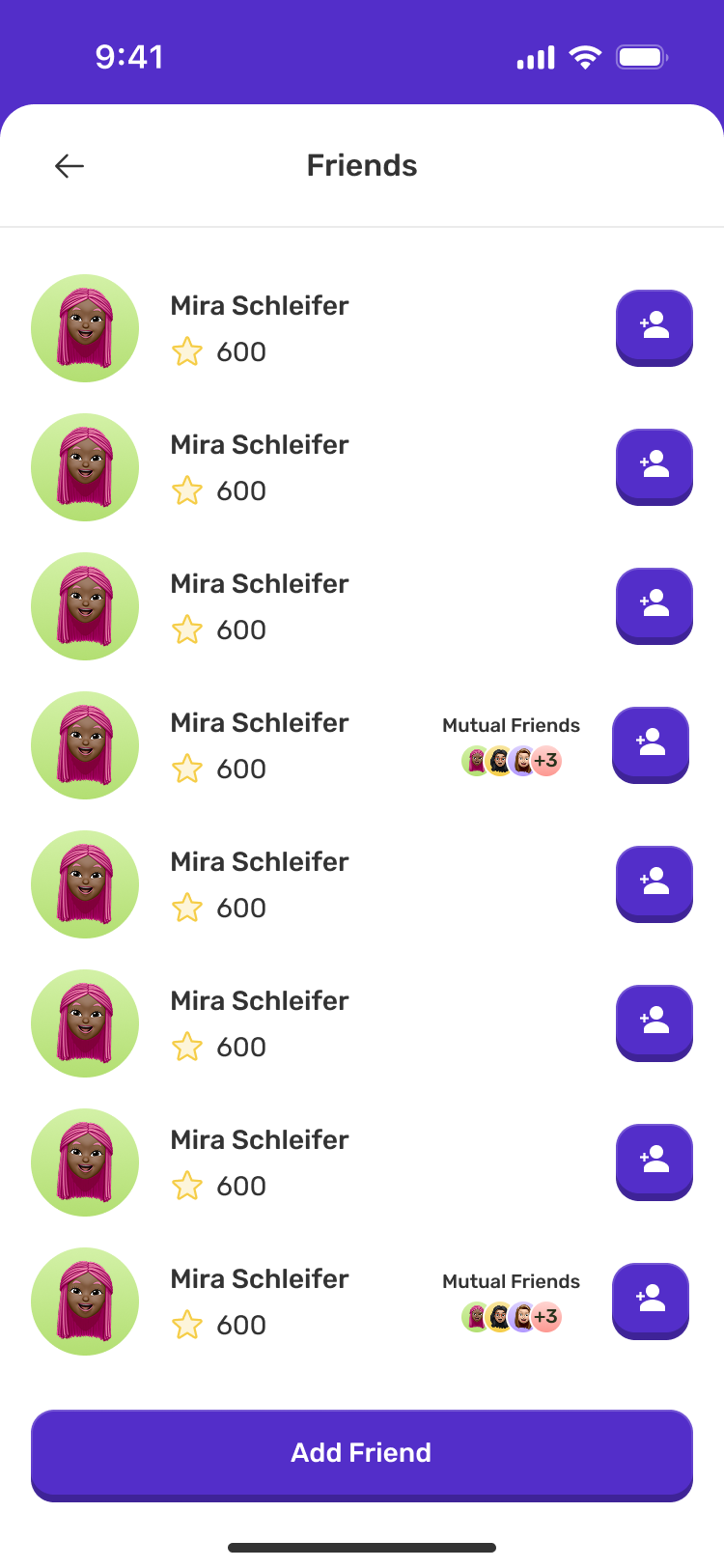
A clearer place to connect with friends.
Testing insight
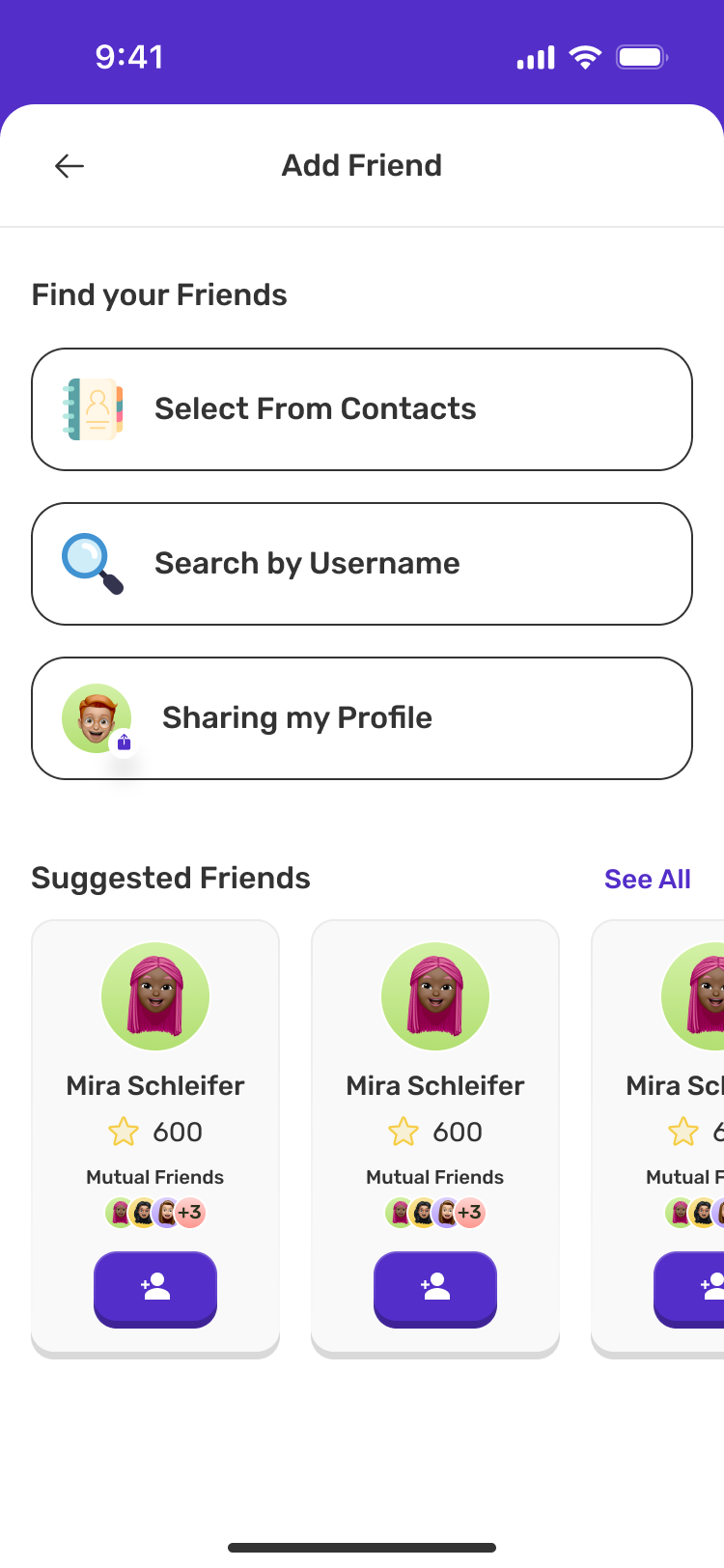
The review highlighted the need for clearer ways to find friends and distinguish existing connections from requests and suggestions.
Design response
Separate friends, incoming requests and suggestions. Provide dedicated ways to find friends and add them from a profile.
Original
Redesigned
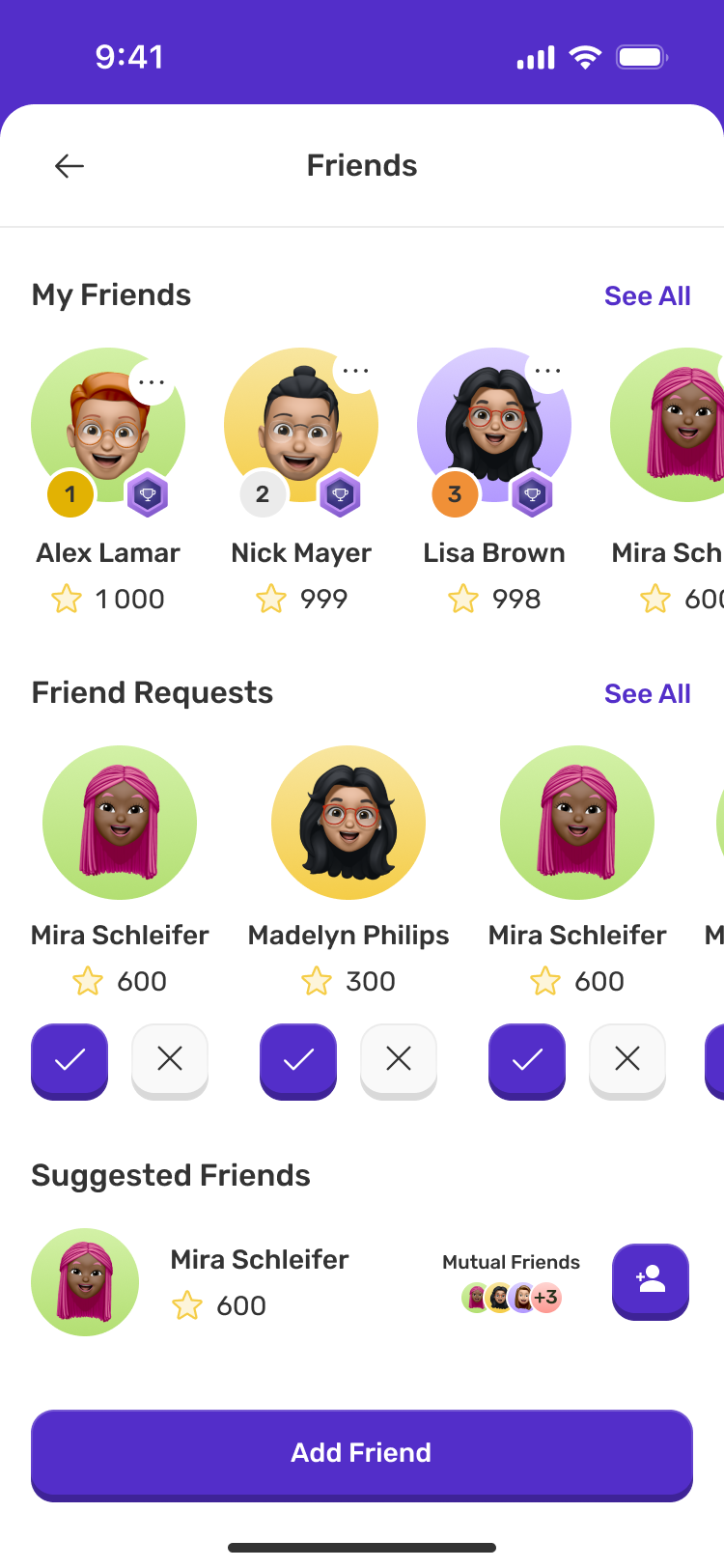
Finding and adding friends
A new way to share and earn.
Design opportunity
The review suggested an opportunity to support inviting friends through a dedicated referral journey. This led to a new feature alongside the usability fixes.
Design response
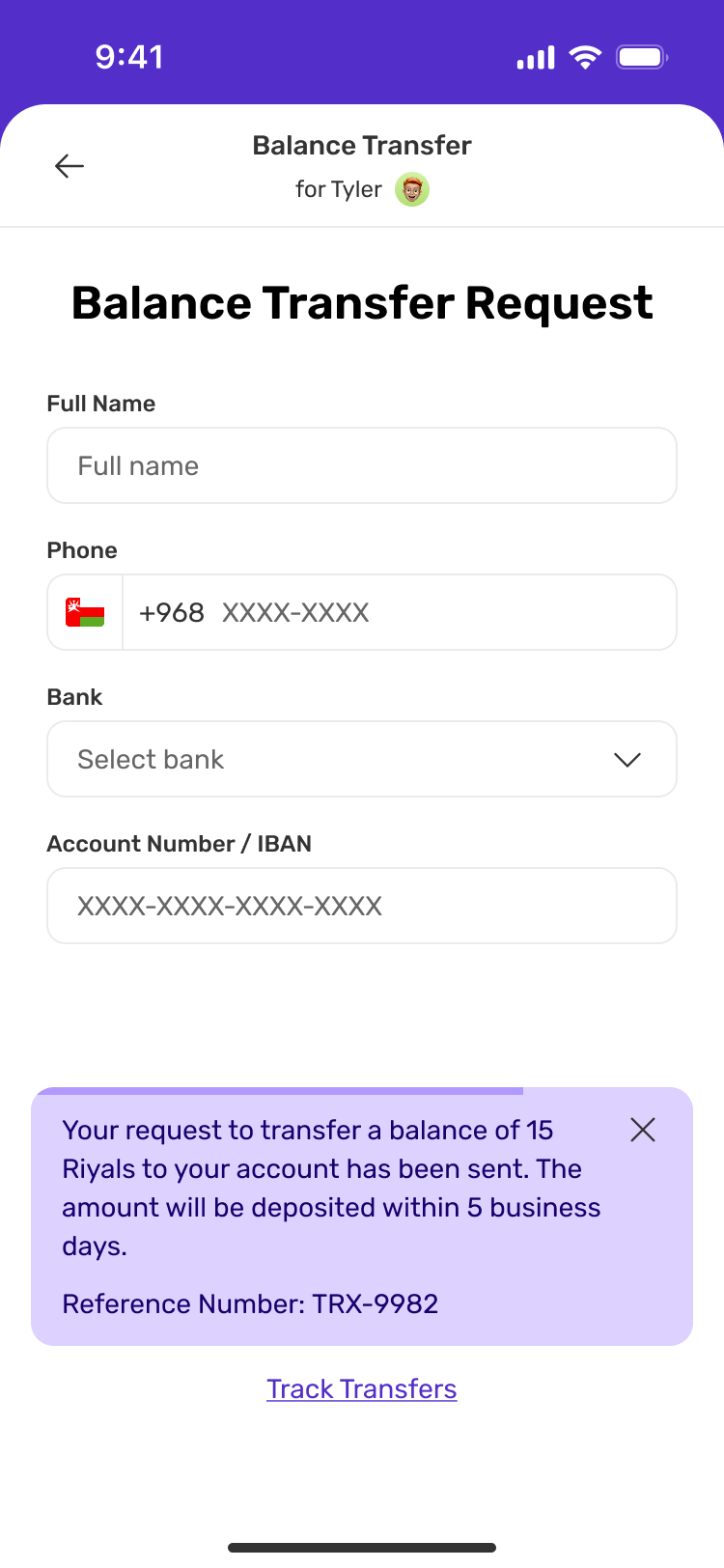
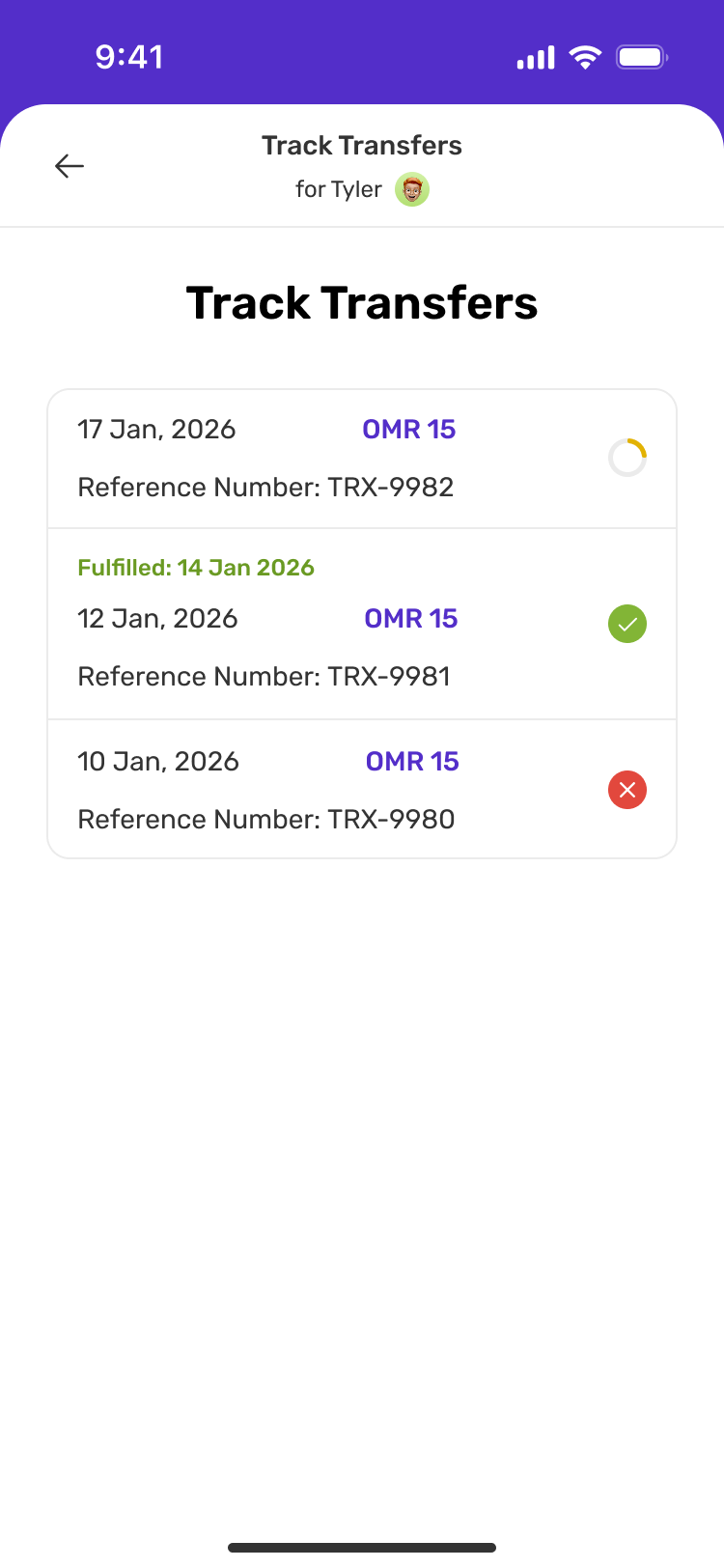
Introduce referrals after subscribing, keep the referral code and reward terms together, and provide balance-transfer tracking.
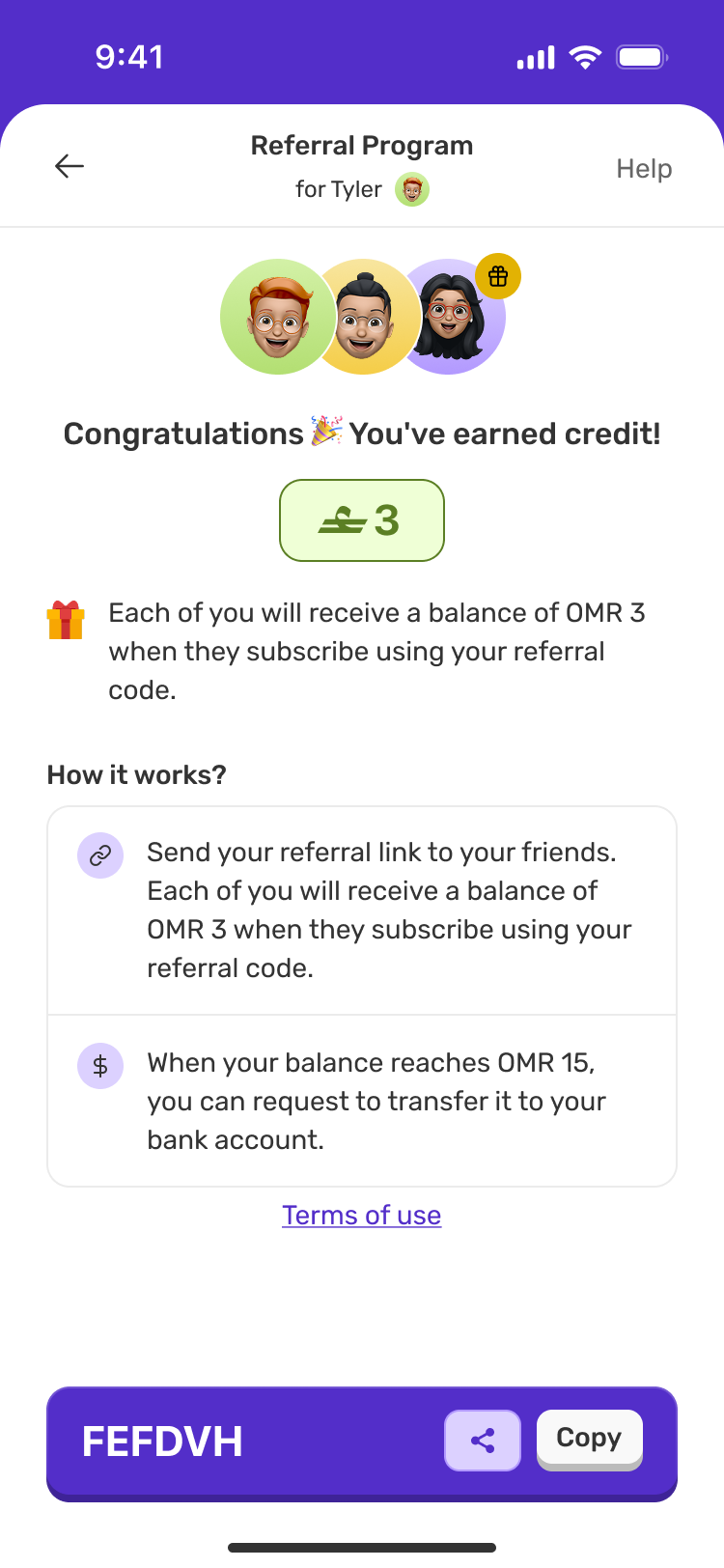
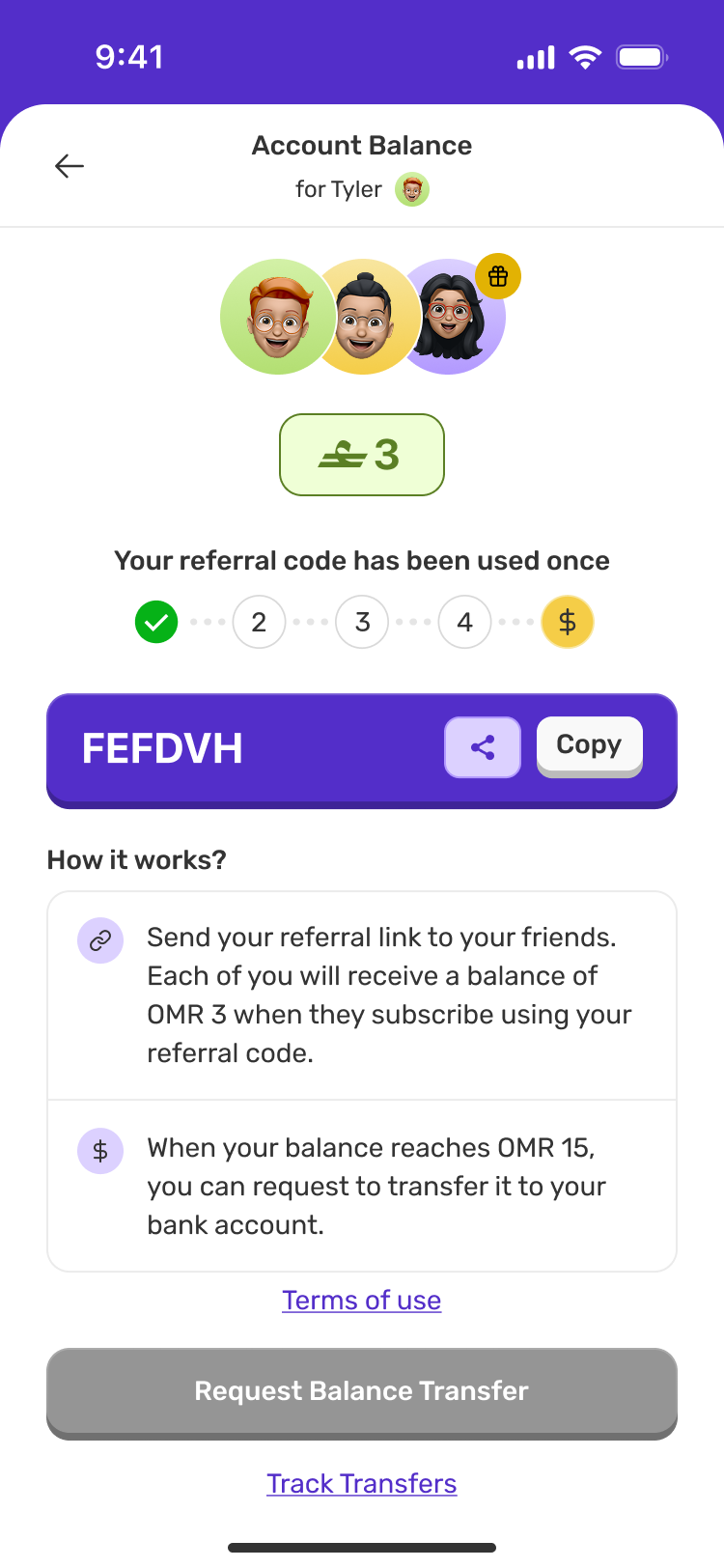
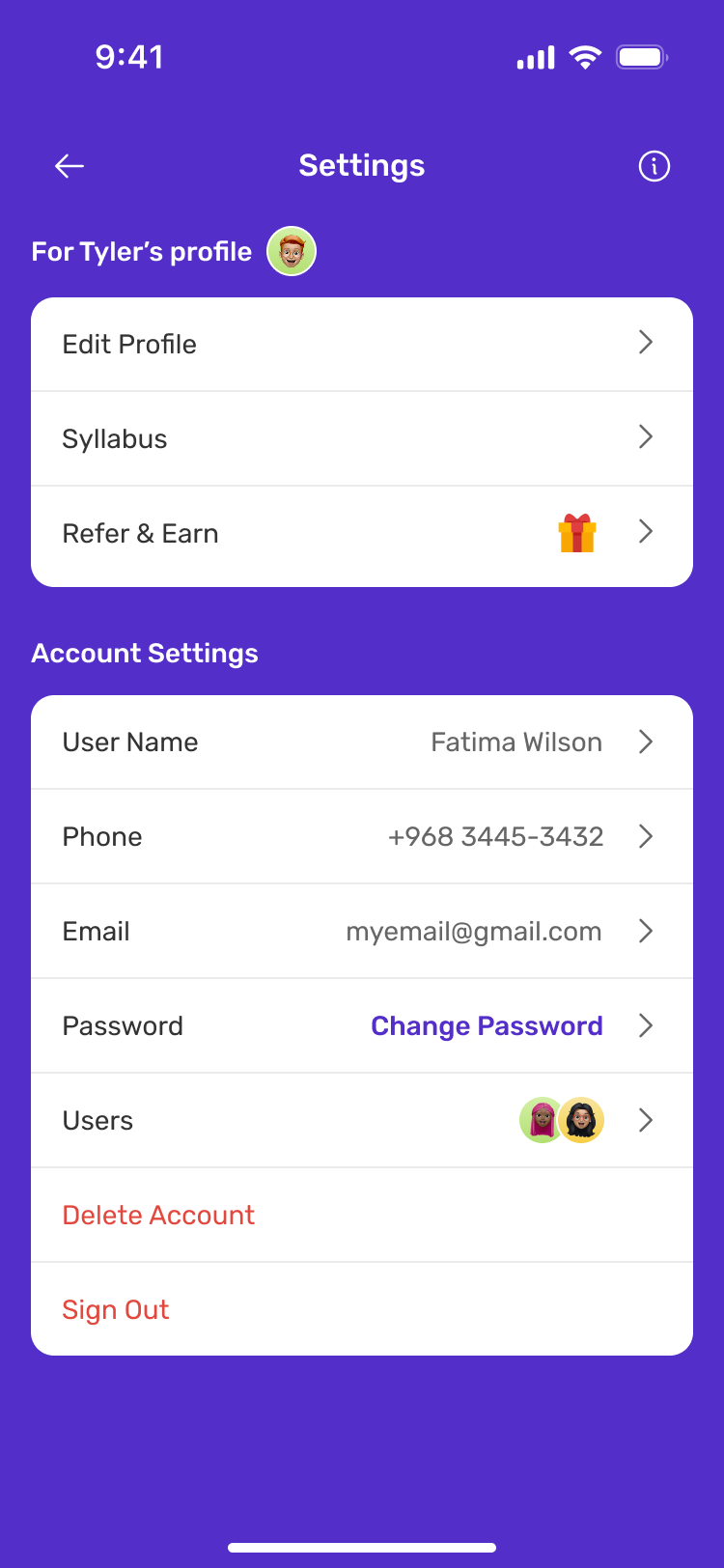
Following rewards through to transfer
Designing a connected learning experience.
Muthabr taught me to look beyond individual screens and consider how each interaction supports the student’s journey. Working across mobile, web and email strengthened my ability to create a consistent experience, while usability testing helped me question design decisions and refine the areas that needed more clarity.
My main takeaway was to keep listening to students and use what I learn to make the next design decision.